How Small Businesses Can Use AI Automation to Compete With Big Brands

How Small Businesses Can Use AI Automation to Compete With Big Brands
AI SEO

How Small Businesses Can Use AI Automation to Compete With Big Brands

How Small Businesses Can Use AI Automation to Compete With Big Brands

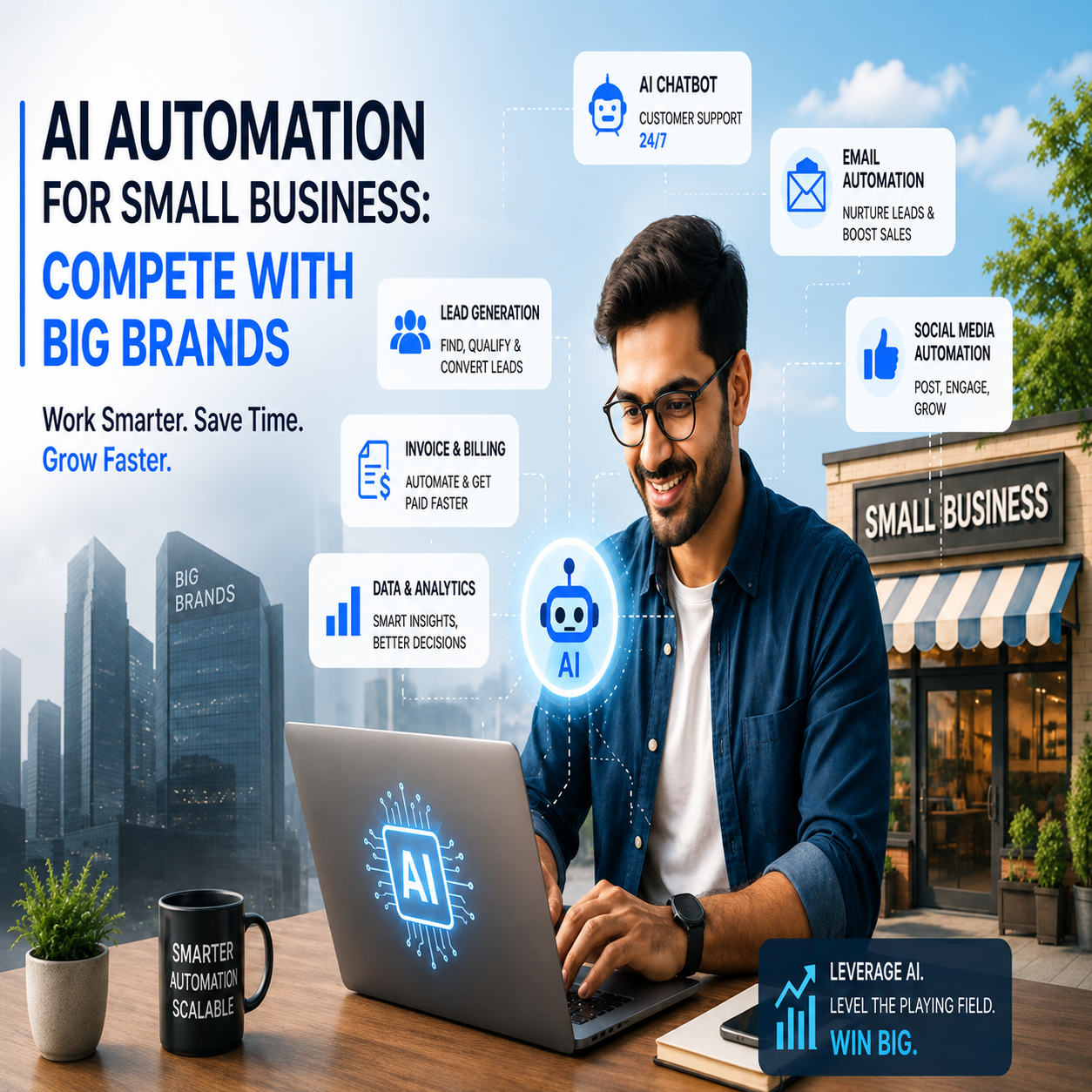
Big brands used to win on budget alone — bigger ad spend, bigger teams, bigger software stacks. That gap is closing fast. AI automation for small business now makes it possible for a two-person shop to respond to leads, run marketing, and support customers with the same speed and consistency as a company 50 times its size. Small firms are adopting AI faster than any technology cycle before it — one 2026 analysis notes that unlike past shifts such as broadband, small businesses are closing the gap with large enterprises in months instead of years, largely because free tools like ChatGPT, Claude, and Gemini removed the cost barrier (AdAI, 2026). This guide shows exactly where to apply AI automation first, what results to expect, and how to avoid the mistakes that keep most small businesses stuck at the "experimenting" stage.

Why AI Automation Is the Great Equalizer for Small Business

Big brands compete on scale — more staff answering calls, more budget for ads, more tools stitched together by IT teams. AI automation removes that advantage because a single owner-operated business can now run the same core functions — lead response, follow-up, content, and reporting — without hiring for them.

The adoption data backs this up: small businesses using generative AI jumped from 23% in 2023 to 58% in 2025, a near-tripling in two years (U.S. Chamber of Commerce, 2025). Growth and AI adoption are also directly linked — growing small businesses are 83% likely to have adopted AI, compared to just 55% of declining businesses, and 78% of growing SMBs plan to keep increasing that investment (AdAI, 2026). Interestingly, it's not the mid-sized firms leading the charge — the very smallest businesses, under five employees, over-index on AI use, treating it as their first "hire" (U.S. Census Bureau / SBA, 2025).

1. Instant Lead Response: Win the Deal Before Big Brands Reply

Big brands are often slower to respond simply because of internal process. Small businesses that automate their first response can beat them to the sale every time — 78% of customers hire whichever company responds first when comparing service providers (DeanTek, 2026).

✅ Where to apply it:

  • AI chat widgets that qualify and route leads instantly, 24/7
  • Missed-call text-back automation for phone-based businesses
  • SMS follow-up sequences — SMS response rates average 45%, versus roughly 6% for email, making it the highest-engagement channel for time-sensitive offers

2. AI-Powered Marketing: Produce Like an Agency, Spend Like a Solo Founder

Content creation is the single largest AI use case for small business, and marketers are all-in on it: 94% of marketers plan to use AI in their content creation process, with content creation, data analysis, and workflow automation as the three leading applications (HubSpot State of Marketing, 2026). Marketing automation also delivers some of the most consistently validated ROI in the category — 77% of marketers report higher conversion rates after adopting it (DeanTek, 2026).

🔥 Practical wins for small teams:
  • AI-assisted blog and social content, repurposed across channels from a single brief
  • Automated email/SMS nurture sequences replacing manual follow-up
  • AI-generated ad variations tested automatically for performance

3. Customer Service Automation: Cover the Hours You Never Staffed

A chatbot or AI voice agent doesn't need to replace a team member — it just needs to cover the after-hours and overflow inquiries no one was answering anyway. That's why AI-powered customer service consistently shows strong returns: businesses report $3.50 in returns for every $1 invested in AI-powered customer service systems (multiple analyst estimates, 2025, via DeanTek). More broadly, 91% of small businesses using AI report measurable revenue increases, and small businesses using AI are 2.3x more likely to report revenue growth than non-users (Salesforce / U.S. Chamber of Commerce, 2025–2026).

4. Back-Office Automation: Reclaim the Hours Big Brands Pay Staff For

Big brands throw headcount at admin work — invoicing, scheduling, reporting, data entry. Small businesses can automate the same tasks directly.

High-impact areas:

  • Automated invoicing, reminders, and reconciliation
  • AI-assisted scheduling and appointment confirmations
  • Auto-generated performance reports and dashboards

Marketing, customer service, and administrative work remain the top three reported AI use cases among small businesses — the common thread being work a small team simply can't keep up with manually (Intuit QuickBooks Small Business Insights, 2025).

Where Small Businesses Are Still Falling Behind

Adoption is high, but strategy is thin. Only 8% of businesses reach advanced AI adoption levels, with most still testing one or two use cases without a broader plan (Salesforce SMB Trends Report, 2024). 77% of small businesses using AI have no formal prompting strategy or system, and only 23% have received any formal training on the tools they use (Aufsite Research / Booth Associates, 2026). This is the gap that separates businesses getting a real competitive edge from businesses that just "tried ChatGPT once."

Traditional Operations vs AI-Automated Small Business

Traditional Small Business AI-Automated Small Business
Leads answered during business hours only Leads qualified and routed 24/7
Manual follow-up emails, often delayed Automated SMS/email sequences within minutes
Content created ad hoc, inconsistently AI-assisted content produced on a repeatable schedule
Admin work absorbs owner's time Invoicing, scheduling & reporting run automatically
Growth capped by hours in the day Growth capped only by strategy and demand

AI Automation Checklist for Small Businesses

Business Function What to Automate First
Lead response Chat widget + missed-call text-back
Marketing AI content drafts + automated email/SMS nurture
Customer service FAQ chatbot for after-hours & repetitive queries
Sales follow-up CRM automation with AI-scored leads
Operations Invoicing, scheduling & reporting automation

How This Connects to AI Search Visibility (GEO)

Automating your operations is only half the equation — AI models like ChatGPT, Gemini, and Google AI Overviews also need to be able to find and recommend your business in the first place. We cover exactly how to structure your website for that in our companion guide, How to Make Your Website AI Search Friendly, which walks through schema markup, EEAT signals, and AI-readable content structure. Together, automation and AI-search visibility are what let a small business look — and perform — like a big brand.

Ready to Automate Your Small Business Like a Big Brand?

Competing with big brands isn't about matching their budget — it's about matching their speed and consistency using AI automation, high-performance websites, and AI-ready SEO built specifically for how your business operates.

As a web development, SEO, and AI automation expert with 12+ years of experience, Ajay Maanju helps small businesses build automated, AI-visible systems that punch above their size.

Contact Now Visit AjayMaanju.com

Frequently Asked Questions

What is AI automation for small business?

It's the use of AI tools — chatbots, automated marketing sequences, CRM scoring, and back-office automation — to handle repetitive tasks so a small team can operate with the speed and consistency of a much larger company.

Can small businesses really compete with big brands using AI?

Yes. Adoption data shows small businesses closing the technology gap with large enterprises in months rather than years, largely due to free and low-cost AI tools removing the traditional cost barrier to automation (AdAI, 2026).

Where should a small business start with AI automation?

Start with lead response and customer service automation — they have the fastest, most measurable ROI, since they cover hours and inquiries the business was never staffed to handle manually.

Does AI automation help with SEO and AI search visibility too?

Yes, indirectly. Consistent, automated content and customer engagement builds the authority and structured data signals that AI search engines look for — see our guide on making your website AI search friendly for the technical steps.

AM

Ajay Maanju — Web Development, SEO & AI Automation Expert

Ajay Maanju has 12+ years of experience helping small businesses build high-performance websites, AI automation systems, and AI-ready SEO strategies. He specializes in web development, mobile app development, technical SEO, and AI SEO & GEO optimization. Explore services at ajaymaanju.com →

Google Ads vs Meta Ads: Key Differences, Benefits & Which One Is Better for Your Business?

Google Ads vs Meta Ads: Key Differences, Benefits & Which One Is Better for Your Business?

SEO, WordPress

If you’re investing in digital marketing, one question always pops up:
Google Ads vs Meta Ads – which one actually works better?

Both platforms are insanely powerful, but they work in very different ways. Choosing the wrong one can waste budget, while choosing the right one can bring consistent leads and sales.

Let’s break it down in a simple, SEO-friendly way so you can decide what’s best for your business.


What Are Google Ads?

Google Ads helps you reach users who are actively searching for a product or service on Google.

 Example:
A user searches “IT support company near me” — your ad appears at the top of search results.

Benefits of Google Ads

  • High-intent audience

  • Faster conversions

  • Ideal for lead generation

  • Works on Google Search, YouTube, Gmail & Display Network

  • Pay only when someone clicks (PPC)

 Google Ads = Demand Capture Marketing


What Are Meta Ads?

Meta Ads run on Facebook, Instagram, Messenger, and Audience Network. These ads show up while users are scrolling their feeds.

 Example:
A business owner sees your digital marketing ad on Instagram even if they weren’t searching for it.

Benefits of Meta Ads

  • Interest & behavior-based targeting

  • Strong visual storytelling (images, videos, reels)

  • Great for brand awareness

  • Lower cost per reach compared to Google Ads

 Meta Ads = Demand Creation Marketing

Feature Google Ads Meta Ads
Audience Intent High (users are actively searching) Low to Medium (users are browsing content)
Best For Lead generation & direct sales Brand awareness & audience engagement
Targeting Method Keywords & search intent Interests, behavior & demographics
Ad Formats Search, display, video, YouTube Images, videos, reels, stories
Cost Structure Higher CPC, high ROI Lower CPM, wider reach
Result Speed Fast & immediate Gradual & long-term
Best Industries Services, local businesses, B2B E-commerce, startups, brands
Best Action Run Google Ads for instant leads Run Meta Ads to build brand & retarget


Which One Should You Choose?

Choose Google Ads if:

  • You want instant leads

  • You run a service-based or local business

  • Your customers already know what they need

  • ROI is your top priority

Choose Meta Ads if:

  • You want to build brand awareness

  • You sell products online

  • You want to educate or nurture customers

  • Visual content is your strength


Best Strategy: Use Google Ads + Meta Ads Together

The smartest businesses don’t choose one — they combine both.

Winning Funnel Strategy:

  1. Meta Ads → Build awareness & retarget audiences

  2. Google Ads → Convert high-intent users into leads

This combo:

  • Lowers cost per lead

  • Improves trust

  • Increases conversion rate


Final Verdict

  • Google Ads finds customers searching for you

  • Meta Ads introduces your brand to new audiences

  • Best results happen when both platforms work together

Your ideal platform depends on your business goal, budget, and growth stage.

👉 Contact us now for Google Ads & Meta Ads management
👉 Free consultation available

5 Signs Your Website Needs an Upgrade ASAP

5 Signs Your Website Needs an Upgrade ASAP

WordPress

5 Signs Your Website Needs an Upgrade ASAP

Your website is basically your digital first impression — and if it’s outdated, slow, or messy, people dip real quick. If you’re not sure whether your site needs a glow-up, here are five signs it’s screaming for an upgrade.


1. Your Website Loads Slower Than Your Mood on Monday

If your site takes more than 3 seconds to load, users bounce instantly.
Slow speed = lost leads + bad SEO vibes.
An upgrade can fix heavy images, outdated code, and server issues.


2. Your Design Looks Like It’s Stuck in 2015

If your website still has old-school fonts, weird layouts, or looks bad on mobile… yeah, it’s time.
Modern users expect clean UI, smooth UX, and mobile-first designs.


3. You’re Not Showing Up on Google

If ranking feels impossible, your website probably lacks:

  • Proper SEO structure

  • Clean code

  • Schema

  • Fast performance

  • Helpful, user-first content
    Upgrading your site helps you compete again.


4. Your Website Isn’t Secure

Old sites = easy targets.
If you see:

  • No SSL

  • Security warnings

  • Random errors
    …your website needs an urgent update.
    A secure site builds trust (and Google loves it too).


5. Your Conversions Have Tanked

If traffic is coming but sales, calls, or leads are dropping, your website flow is broken.
A fresh redesign can improve:

  • CTAs

  • User journey

  • Page layout

  • Speed

  • Mobile behavior

Small fixes = big conversion jumps.


Final Thoughts

If your website checks even one of these signs, you’re already behind.
A quick upgrade can boost your brand, your conversions, and your overall online trust.

Why Every Freelancer Should Build a Personal Brand Online

Why Every Freelancer Should Build a Personal Brand Online

SEO, WordPress

If you’re a freelancer in 2025, you can’t just rely on skills — you need a presence. You must build a personal brand online to stand out, attract dream clients, and stay competitive.

Your personal brand is your digital identity — it tells clients who you are, what you do, and why they should trust you. Let’s explore how building your personal brand can transform your freelance career.


1. Build Trust and Credibility With Your Personal Brand

Clients won’t hire who they don’t trust. When potential clients find your professional website, updated LinkedIn, and positive testimonials, that builds instant credibility.

A strong personal brand positions you as reliable and professional — even before you speak to a client.

Pro Tip: Add testimonials, certifications, and case studies to your website to build instant trust.

HubSpot’s Personal Branding Guide


2. Attract High-Quality Clients (and Higher Rates)

When you build a personal brand online, you attract clients who already understand your value.

Instead of wasting time chasing projects, clients start approaching you — because your online presence already shows what you’re capable of. This helps you charge premium rates confidently.

How to Rank a New Website on Google in Just 90 Days.”


3. Control Your Narrative and Reputation

If you don’t tell your story, someone else might — or worse, no one will.

When you build a personal brand online, you decide how people see you. From your bio to your tone of content, everything tells a story about your professionalism, experience, and mission.

Keep your message consistent across platforms like LinkedIn, Instagram, and your personal website.


4. Unlock New Opportunities Beyond Freelancing

When you consistently build a personal brand online, your visibility grows — and so do your opportunities.

People start noticing your expertise, and that can lead to speaking gigs, collaborations, podcast invitations, or even partnerships.

The more consistent and authentic your online presence, the more doors open.

 LinkedIn for Creators — a great resource for freelancers looking to grow their online influence.


5. Stay Competitive in the Freelancing Market

Freelancing in 2025 is more competitive than ever — thanks to AI tools and global marketplaces.

Having a solid personal brand helps you stand out. Clients prefer to hire experts who have a recognizable, trusted online identity.

Post regularly, update your portfolio, and stay active on social platforms — it shows you’re engaged and relevant.


How to Build a Personal Brand Online (Step-by-Step)

If you’re ready to start, follow this simple roadmap

  1. Define Your Niche – Focus on what you’re best at and who your ideal clients are.

  2. Build a Professional Website – Use WordPress, Webflow, or Wix to showcase your services and testimonials.

  3. Optimize Your Social Profiles – Keep your branding consistent on every platform.

  4. Share Valuable Content – Post tips, insights, and stories that reflect your expertise.

  5. Network and Engage – Comment, collaborate, and connect with others in your field.

Hire WordPress Developer

Conclusion: Your Personal Brand = Your Freelance Superpower

Your skills get you noticed.
Your personal brand gets you remembered.

When you build a personal brand online, you’re investing in your long-term growth — not just your next project. It helps you attract clients, gain authority, and future-proof your freelance career.

Start small, stay consistent, and watch your brand turn into your biggest business asset.

How to Rank a New Website on Google in Just 90 Days

How to Rank a New Website on Google in Just 90 Days

SEO

Launching a new website is exciting, but the real challenge begins when you want it to rank on Google. The truth is, search engine optimization (SEO) is a marathon, not a sprint. However, with the right strategy and consistent efforts, you can start seeing significant results in as little as 90 days.

Here’s a step-by-step guide to help your new website climb Google’s search rankings:


1. Build a Strong Foundation (Week 1–2)

  • Keyword Research: Use tools like Google Keyword Planner, Ahrefs, or SEMrush to find low-competition, high-intent keywords.

  • On-Page SEO: Optimize titles, meta descriptions, headers, and URLs.

  • Mobile-Friendly & Fast Loading: Google prioritizes websites with good user experience, so make sure your site is responsive and optimized for speed.


2. Publish High-Quality Content (Week 2–6)

  • Create pillar content around your main topics and support them with blog posts.

  • Focus on user intent—write content that solves real problems for your target audience.

  • Publish consistently—Google loves fresh content.


3. Build Authority with Backlinks (Week 4–10)

  • Guest post on relevant blogs in your niche.

  • Submit your website to directories and forums.

  • Collaborate with influencers or industry experts for mentions and backlinks.

  • Use social sharing platforms like LinkedIn, Reddit, and Quora to promote your content organically.


4. Optimize for Technical SEO (Ongoing)

  • Submit your sitemap to Google Search Console.

  • Fix broken links, improve internal linking, and set up proper redirects.

  • Optimize images with alt tags and compression.

  • Ensure HTTPS security for trustworthiness.


5. Track, Analyze & Adjust (Week 8–12)

  • Use Google Analytics and Search Console to track keyword rankings, impressions, and clicks.

  • Double down on content that performs well.

  • Update and repurpose old blogs to keep them relevant.


6. Leverage Local SEO (If Applicable)

  • Register your business on Google Business Profile.

  • Collect reviews from happy customers.

  • Target location-based keywords.


Final Thoughts

Ranking a new website on Google in just 90 days requires focus, effort, and patience. By combining quality content, backlinks, technical optimization, and consistent analysis, you can dramatically improve your visibility in search results.

Remember—SEO is an ongoing process. The key is consistency and adaptability.

Affordable SEO India

How Web Development Drives Digital Sales in 2025

How Web Development Drives Digital Sales in 2025

WordPress

In the fast-paced digital economy of 2025, web development has become one of the most critical drivers of digital sales. With online customer journeys growing more sophisticated and expectations higher than ever, a business’s website is no longer just a digital presence — it’s the engine of revenue growth. From mobile-first experiences to AI-powered personalization, modern web development is reshaping the way businesses connect with consumers.

Let’s explore how cutting-edge web development practices are helping companies skyrocket their digital sales in 2025.


1. Faster Load Times = Higher Conversions

Website speed remains one of the most decisive factors for conversions. In 2025, users expect pages to load in under two seconds, and search engines reward fast-loading sites with better visibility.

Web developers are optimizing performance through:

  • Lightweight frameworks like Next.js and Astro

  • Smarter image compression and lazy loading

  • Serverless architecture and edge computing

A delay of just one second can reduce conversions by up to 20%, making performance optimization a must-have for digital sales success.


2. Mobile-First, Always

With over 75% of online purchases now happening on mobile, responsive, mobile-first design is no longer optional.

Modern web development uses:

  • Scalable vector graphics (SVGs)

  • Touch-friendly navigation

  • Progressive Web Apps (PWAs)

These improvements ensure seamless mobile experiences that encourage browsing, engagement, and buying — anytime, anywhere.


3. Personalized Experiences Powered by AI

AI and machine learning are powering hyper-personalized websites in 2025. Web development teams are now integrating intelligent tools that dynamically adapt content, product recommendations, and offers based on user behavior.

For example:

  • E-commerce sites suggest items based on browsing history

  • SaaS platforms show tailored pricing or onboarding flows

  • Retail sites use geolocation to adjust promotions

This level of personalization drives deeper engagement and boosts sales dramatically.


4. Headless Commerce and Seamless Integrations

Headless CMS and commerce solutions give developers the freedom to craft blazing-fast, customized front-ends, while still integrating with powerful back-end systems.

In 2025, headless setups allow:

  • Real-time product updates across devices

  • Omnichannel shopping experiences

  • Easy integration with CRMs, ERPs, and marketing tools

These modular, API-first architectures are turning websites into fully optimized digital sales machines.


5. Trust-Building UX and Accessibility

Sales don’t happen without trust. Web developers are focusing on accessible, inclusive, and ethical design principles that boost credibility and user satisfaction.

Key strategies include:

  • ADA-compliant designs

  • Transparent data handling and privacy features

  • Intuitive navigation and clear CTAs

When users feel safe and understood, they’re more likely to convert — and come back.


6. Real-Time Analytics and Conversion Optimization

In 2025, websites are not static brochures. They are data-driven platforms, continuously evolving based on user behavior. Developers are integrating real-time analytics tools and A/B testing frameworks directly into websites.

This allows businesses to:

  • Adjust layouts or offers on the fly

  • Identify drop-off points in the sales funnel

  • Personalize experiences even more deeply

Constant iteration is the secret weapon behind high-performing websites.


Final Thoughts

Web development in 2025 is not just about building beautiful websites — it’s about engineering revenue-generating digital experiences. From performance and personalization to AI and accessibility, developers now play a direct role in driving sales and business growth.

If you’re not investing in modern web development, you’re likely leaving money on the table.

The ROI of Good Web Design: Why It’s Worth the Investment

The ROI of Good Web Design: Why It’s Worth the Investment

WordPress

In the digital age, your website is often the first impression potential customers have of your business. Whether you’re a startup, a local service provider, or an established brand, your web design plays a crucial role in how users perceive your credibility, professionalism, and value. But beyond aesthetics, there’s a more compelling reason to invest in good web design: Return on Investment (ROI).

Let’s break down why good web design is not just a cost — it’s a smart investment.


1. First Impressions Matter – And They Convert

Visitors decide within seconds whether they’ll stay on your site or bounce away. A clean, modern, and intuitive design builds trust instantly. If your site looks outdated or cluttered, users may assume your services are too.

ROI Impact:
More time on site = More chances of conversion. A visually appealing site can reduce bounce rates and increase lead generation.


2. Improved User Experience (UX) = More Conversions

A well-designed website doesn’t just look good — it works beautifully. Smooth navigation, fast loading times, and mobile responsiveness make users more likely to complete actions like filling out a form or making a purchase.

ROI Impact:
Better UX directly improves your conversion rate. Even a small lift in conversions can translate into significant revenue over time.


3. SEO Benefits and Organic Traffic Growth

Google loves good design. A properly structured website with optimized images, fast load speed, and mobile compatibility performs better in search rankings.

ROI Impact:
Higher visibility in search results brings more organic (free) traffic, reducing your dependency on paid ads.


4. Brand Trust and Credibility

A professional design builds brand credibility. Your website acts like your digital storefront — and it needs to reflect the quality of your products or services.

ROI Impact:
Strong brand trust leads to repeat customers, referrals, and longer customer lifetime value (CLV).


5. Lower Long-Term Costs

Good design is scalable and built to last. Cheap or poorly executed web design often leads to bugs, security issues, and frequent rebuilds.

ROI Impact:
Fewer fixes, fewer downtimes, and less need for redesigns save you money and time in the long run.


6. Better Analytics and Marketing Integration

Modern websites are built with conversion tracking, heatmaps, and marketing integrations in mind. A good design makes it easier to track performance and make data-driven improvements.

ROI Impact:
You can optimize campaigns faster and see exactly how your website contributes to your sales funnel.


7. Competitive Advantage

Chances are, your competitors are investing in their digital presence. A well-designed website can set you apart, showing potential customers that you’re a leader, not a follower.

ROI Impact:
Standing out from competitors leads to higher market share and customer acquisition.


Final Thoughts

Investing in good web design is not just about having a pretty site — it’s about creating a powerful digital asset that attracts, engages, and converts. Whether you measure ROI in sales, leads, SEO rankings, or customer satisfaction, a well-designed website pays for itself many times over.