
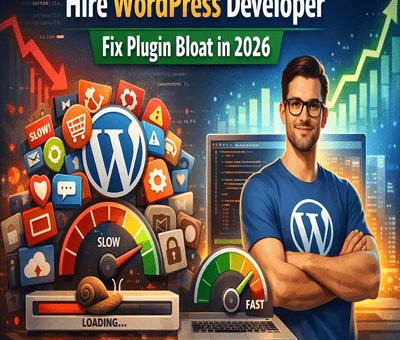
The True Cost of Plugin Bloat: Why Scaling Businesses Need Custom WordPress Plugin Development in 2026

The True Cost of Plugin Bloat: Why Scaling Businesses Need Custom WordPress Plugin Development in 2026

WordPress

WordPress powers over 40% of the web, but here’s the catch—most growing businesses rely on dozens of plugins to run their site. At first, it feels like a quick win. Need a feature? Install a plugin. Done.

But as your business scales, this “plugin stacking” strategy turns into a silent performance killer. Slow loading speeds, security vulnerabilities, conflicts, and constant maintenance become everyday headaches.

If you’re serious about scaling in 2026, it’s time to rethink your approach—and yes, this is where you should hire WordPress developer for custom plugin development.

What is Plugin Bloat?

Plugin bloat happens when your website depends on too many plugins—especially poorly coded or unnecessary ones.

Each plugin adds:

  • Extra database queries
  • Additional scripts and styles
  • Increased load time
  • More points of failure

Individually, they seem harmless. Together, they create chaos.

The Hidden Costs of Plugin Bloat

1.  Slower Website Speed

Speed = money.

Every extra plugin adds weight to your site. Even a 1-second delay can drop conversions significantly.

  • Heavy plugins load unused code
  • Multiple plugins duplicate functionality
  • Frontend becomes cluttered with scripts

Result? Your users bounce before they even see your offer.

2.  Security Risks

More plugins = more vulnerabilities.

Outdated or poorly maintained plugins are the #1 entry point for hacks.

  • Abandoned plugins don’t get updates
  • Conflicts can expose security gaps
  • Increased attack surface

A single weak plugin can compromise your entire business.

3.  Compatibility Issues

Ever updated a plugin and your site broke? Yeah, that’s plugin conflict.

  • Plugins don’t always play well together
  • Updates can break core functionality
  • Debugging becomes time-consuming

This is especially painful for eCommerce or high-traffic sites.

4.  Rising Maintenance Costs

At scale, plugin management becomes a full-time job:

  • Constant updates
  • License renewals
  • Bug fixes
  • Developer intervention

What started as “cheap” becomes expensive real quick.

5.  Poor Scalability

Plugins are built for general use—not your specific business logic.

As your operations grow:

  • You need custom workflows
  • Better integrations
  • Optimized performance

Generic plugins just can’t keep up.

Why Custom WordPress Plugin Development is the Smart Move

Instead of stacking plugins, scaling businesses are shifting toward custom-built solutions.

1. Optimized Performance

Custom plugins are built only for what you need—nothing extra.

  • Cleaner code
  • Faster load times
  • Better user experience

No unnecessary bloat = maximum speed.

2.  Enhanced Security

When you hire WordPress developer, you get:

  • Secure coding practices
  • Regular updates tailored to your system
  • Minimal exposure to vulnerabilities

Less risk, more control.

3.  Perfect Fit for Your Business

Custom plugins are designed around your workflow:

  • Unique features
  • Tailored integrations
  • Automation aligned with your business

No compromises. No workarounds.

4.  Scalability Without Limits

As your business grows, your custom plugin grows with you.

  • Easily extendable
  • No dependency on third-party updates
  • Future-proof architecture

You’re building an asset, not patching problems.

5.  Long-Term Cost Savings

Yes, custom development has an upfront cost—but it saves money over time:

  • No recurring plugin fees
  • Fewer bugs and conflicts
  • Reduced maintenance

Think long-term ROI, not short-term hacks.

When Should You Hire WordPress Developer?

If you’re facing any of these, it’s time:

  • Your website feels slow despite optimization
  • You’re using 15+ plugins
  • Frequent site crashes or conflicts
  • You need custom functionality
  • You’re scaling traffic or revenue

At this point, continuing with plugins is like putting band-aids on a broken system.

Final Thoughts

Plugin bloat is one of the biggest hidden killers of WordPress performance in 2026.

While plugins are great for getting started, they’re not built for scaling businesses. If you want speed, security, and flexibility, the smartest move is to hire WordPress developer india and invest in custom plugin development.

Stop stacking plugins. Start building smarter.
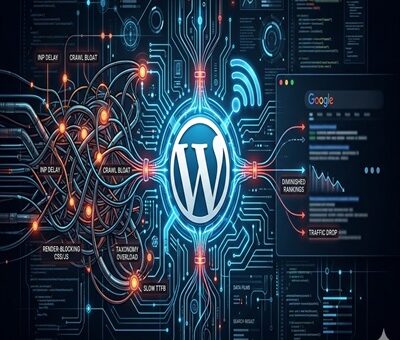
The Hidden Technical SEO Bottlenecks Ruining Your WordPress Rankings

The Hidden Technical SEO Bottlenecks Ruining Your WordPress Rankings

SEO, WordPress

You publish high-quality content, build solid back-links, and meticulously optimize your on-page keywords. Yet, your WordPress site’s rankings suddenly flat line—or worse, disappear overnight after a core update.

When your content strategy is flawless but your traffic drops, the culprit is almost always invisible to the naked eye. Google is increasingly unforgiving of poor site architecture. If Google-bot struggles to crawl, render, or interact with your pages, your content will never see page one.

Here are the hidden technical SEO bottlenecks that are silently sabotaging your WordPress rankings, and exactly how to fix them.
1. Failing the INP (Interaction to Next Paint) Test

As of recently, Interaction to Next Paint (INP) has completely replaced FID as a primary Core Web Vital. INP measures how quickly your site responds to user clicks and taps.

If your WordPress site relies on heavy page builders (like older versions of Elementor or Divi) or loads excessive third-party tracking scripts, your server’s main thread gets blocked. When a user clicks a menu item and nothing happens for 300 milliseconds, Google penalizes the page for poor user experience.

The Fix: Delay JavaScript execution for non-essential scripts, optimize your CSS delivery, and ensure your caching plugin (like WP Rocket or Lite Speed Cache) is properly configured to minify and combine files.

2. Running Legacy Server Environments

A surprisingly common bottleneck is an outdated server environment. Your WordPress site might look modern on the front end, but if the back end is running on an outdated PHP version, your time-to-first-byte (TTFB) will suffer drastically.

Older PHP versions process requests slowly, which limits how many pages Google-bot can crawl during its allocated time. Upgrading your server environment to PHP 8.4 delivers massive improvements in code execution speed and resource management, significantly reducing server response times and keeping Google’s crawlers happy.
3. The Crawl Budget Black Hole (Taxonomy Bloat)

WordPress is notorious for auto-generating unnecessary pages. Every time you create a new tag, author, or date archive, WordPress creates a new URL. Over time, a site with 50 strong blog posts can easily spawn 500+ low-value archive pages.

When Google-bot visits your site, it only has a limited “crawl budget.” If it spends all its time crawling empty tag pages and pagination links, it might skip crawling your newly updated, high-value service pages or cornerstone articles.

The Fix: Audit your index coverage in Google Search Console. Use an SEO plugin like Rank Math or Yoast to set tags, author archives, and date archives to no-index. Keep Google-bot strictly focused on your money pages.

4. Hidden Render-Blocking Resources

When Google renders your page, it wants to see the most important above-the-fold content immediately. If your WordPress theme forces the browser to download a massive, unoptimized CSS file or a custom font before it displays text, you have a render-blocking issue.

The Fix: Preload your critical fonts and inline your critical CSS. Most modern WordPress performance plugins have a “Generate Critical CSS” feature that automatically isolates the styling needed for the top of your page, allowing the rest to load in the background.

5. Orphaned Pages and Broken Internal Architecture

Technical SEO isn’t just about speed; it’s about how your site is wired together. An “orphan page” is a page on your site that has no internal links pointing to it. If you don’t link to a page, Google assumes it isn’t important and will slowly de-index it.

The Fix: Run a site crawl using a tool like Screaming Frog or Ah-refs Site Audit. Identify high-value pages that lack internal links and weave them into your older, high-authority blog posts. A strong, logical internal linking structure spreads “link juice” evenly and helps search engines understand your topical authority.

Final Thoughts: Clean House to Reclaim Your Traffic

Recovering from a ranking drop requires patience and a highly technical approach. Before you write another 2,000-word blog post, look under the hood. By clearing out code bloat, optimizing your server environment, and strictly managing your crawl budget, you clear the path for Google to recognize and reward your true expertise.

Toptal vs. Upwork vs. Ajay Maanju