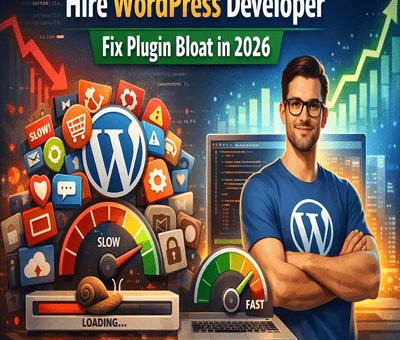
Why Most WordPress Sites Fail Core Web Vitals — And How I Fix Them for Clients

Why Most WordPress Sites Fail Core Web Vitals — And How I Fix Them for Clients

WordPress

Why Most WordPress Sites Fail Core Web Vitals — And How I Fix Them for Clients

Core Web Vitals have officially become one of the biggest ranking factors in Google’s Page Experience update. But here’s the wild part — most WordPress sites still fail Core Web Vitals badly, even if the design looks clean.

As someone who works on WordPress speed optimization projects daily, I see the same mistakes repeated across small business websites, agencies, and even premium themes.

Let me break down why WordPress sites fail Core Web Vitals — and how I fix these issues for my clients.


 What Are Core Web Vitals (Quick Breakdown)

Core Web Vitals measure real-world user experience based on three metrics:

1️⃣ LCP — Largest Contentful Paint

How fast the main content loads.

2️⃣ FID / INP — Interaction Delay

How quickly a page reacts when users click.

3️⃣ CLS — Cumulative Layout Shift

How stable the layout stays while loading.

If any of these fail, your site:
❌ drops in rankings
❌ loses conversions
❌ gets lower user engagement


❌ Why Most WordPress Sites Fail Core Web Vitals

1. Bloated Themes and Page Builders

Most WordPress themes come loaded with features you never use. And when you stack Elementor, WPBakery, Divi, etc., the site becomes heavy AF.

Result:
Slow LCP, high INP, and terrible CLS.


2. Too Many Plugins (Plugin Overload)

I’ve seen sites with 40+ plugins… half of them doing nothing.

Each plugin adds:
⚠️ scripts
⚠️ CSS files
⚠️ database queries

This destroys Core Web Vitals.


3. No Proper Image Optimization

Big PNG/JPG images = slow LCP.
Clients upload 5MB images without even realizing it.

The site suffers instantly.


4. Render-Blocking JS & CSS

Common culprits:

  • jQuery

  • sliders

  • animation libraries

  • embed scripts

  • unused theme files

If these load before page content → LCP fails.


5. Poor Hosting & No Server-Level Caching

Cheap hosting = slow TTFB.
Slow TTFB = slow everything.

This alone can cause a “Needs Improvement” score on all Vitals.


6. Layout Shifts Caused by Ads, Sliders & Fonts

CLS is usually bad because:

  • images have no fixed dimensions

  • popups slide in

  • fonts swap

  • banners load late

This makes the page jump around.


🛠️ How I Fix Core Web Vitals for My Clients (My Exact Process)

1. Clean & Lightweight Theme Setup

I switch clients to:
✔️ Block Themes
✔️ GeneratePress
✔️ Astra
✔️ Kadence

Light, stable, fast.

If they want to stick with Elementor → I trim the bloat.


2. Remove Unnecessary Plugins

I audit the site and remove:

  • duplicate functionality

  • inactive plugins

  • outdated scripts

Then replace them with light alternatives.


3. WebP + Next-Gen Image Optimization

I optimize images using:
✔️ WebP
✔️ AVIF
✔️ proper sizing
✔️ lazy loading
✔️ CDN delivery

Big improvement in LCP.


4. Minify, Delay & Defer JS/CSS

I use:

  • Cloudflare

  • WP Rocket

  • Fast Velocity Minify

  • Perfmatters

Tricks I apply:
🔥 delay non-essential JS
🔥 remove unused CSS
🔥 inline critical CSS
🔥 defer scripts that block rendering

This improves both LCP & INP massively.


5. Server-Level Optimization

I move clients to hosts like:

  • Cloudways

  • Hostinger Premium

  • A2 Hosting Turbo

  • WPEngine

Then activate:
✔️ Redis caching
✔️ Brotli compression
✔️ HTTP/3
✔️ Full-page caching

TTFB drops like magic.


6. Fix CLS by Stabilizing Layout

I add:

  • width/height attributes to images

  • skeleton loaders

  • preloaded fonts

  • stable header structure

This eliminates those annoying jumps.


📈 Real Results I Usually Achieve for Clients

After optimization, most websites go from:
45–60 score → 90+ on desktop & 75–95 on mobile

And yes — this directly helps with:
🔹 higher Google rankings
🔹 better conversions
🔹 lower bounce rates
🔹 smoother user experience


 Final Thoughts

Most WordPress sites don’t fail Core Web Vitals because WordPress is bad — they fail because they’re built carelessly.

Once optimized properly, WordPress becomes one of the fastest CMS platforms available.

If you want help improving your Core Web Vitals, feel free to reach out — I fix these issues for clients every day.

How to Improve Website Speed

Why Every Business Needs a WordPress Developer

How to Make WordPress Websites Lightning Fast in 2025

How to Make WordPress Websites Lightning Fast in 2025

WordPress

In today’s fast-paced digital world, website speed is everything. A slow-loading WordPress site doesn’t just frustrate users—it hurts SEO rankings, reduces conversions, and lowers engagement. As we move into 2025, Google’s Core Web Vitals have made speed optimization more important than ever.

The good news? With the right strategies, you can make your WordPress website lightning fast. Let’s explore step-by-step techniques to speed up your site.


1. Choose a High-Performance Hosting Provider

Your hosting provider is the foundation of your website’s performance. A slow server will bottleneck your efforts, no matter how much optimization you do.

  • Opt for managed WordPress hosting like Kinsta, WP Engine, or SiteGround.

  • Look for SSD/NVMe storage and server-level caching.

  • Consider CDN integration for global reach.


2. Use a Lightweight WordPress Theme

Bloated themes slow down websites. Instead, go for minimal, performance-focused themes such as:

  • GeneratePress

  • Astra

  • Kadence

  • Block-based WordPress themes

These themes are optimized for speed while remaining flexible for customization.


3. Optimize Images Like a Pro

Images are often the biggest culprits in slow-loading sites.

  • Use next-gen formats like WebP or AVIF.

  • Compress images with tools like Smush or Imagify.

  • Implement lazy loading so images load only when users scroll to them.


4. Install a Caching Plugin

Caching drastically reduces load times by storing static versions of your pages.
Top WordPress caching plugins:

  • WP Rocket (premium but powerful)

  • W3 Total Cache (free)

  • LiteSpeed Cache (great for LiteSpeed servers)


5. Use a Content Delivery Network (CDN)

A CDN delivers your website’s files from servers closest to the user, improving speed worldwide. Popular CDNs include:

  • Cloudflare

  • BunnyCDN

  • KeyCDN


6. Minify & Combine CSS, JS, and HTML

Unnecessary code slows down rendering. Use tools like:

  • Autoptimize

  • Asset CleanUp

  • WP Rocket’s file optimization

This will reduce file sizes and improve loading speed.


7. Clean Up Your Database

Over time, WordPress databases collect unnecessary data—like post revisions, transients, and spam comments.

  • Use plugins like WP-Optimize or Advanced Database Cleaner.

  • Schedule automatic cleanups to maintain performance.


8. Limit Plugins and External Scripts

Too many plugins = slower performance.

  • Only install essential plugins.

  • Avoid plugins that duplicate functionality.

  • Host fonts locally and minimize third-party scripts like tracking codes.


9. Enable GZIP or Brotli Compression

Compression reduces file sizes before sending them to the browser.

  • Check with your host or enable via caching plugins.

  • Use Brotli if your host supports it—it’s even faster than GZIP.


10. Monitor Performance Regularly

Optimization is not a one-time task. Continuously monitor site speed with tools like:

  • Google PageSpeed Insights

  • GTmetrix

  • Pingdom

  • WebPageTest

Regular audits help you catch new bottlenecks early.


Conclusion

A fast WordPress website isn’t just a luxury in 2025—it’s a necessity. By choosing the right hosting, optimizing images, using caching, and keeping your site lean, you’ll not only improve user experience but also rank higher on search engines.

Take these steps today and watch your WordPress site fly like a rocket 🚀.

WordPress Features That Can Boost Your Website Rankings

How Web Development Drives Digital Sales in 2025

How Web Development Drives Digital Sales in 2025

WordPress

In the fast-paced digital economy of 2025, web development has become one of the most critical drivers of digital sales. With online customer journeys growing more sophisticated and expectations higher than ever, a business’s website is no longer just a digital presence — it’s the engine of revenue growth. From mobile-first experiences to AI-powered personalization, modern web development is reshaping the way businesses connect with consumers.

Let’s explore how cutting-edge web development practices are helping companies skyrocket their digital sales in 2025.


1. Faster Load Times = Higher Conversions

Website speed remains one of the most decisive factors for conversions. In 2025, users expect pages to load in under two seconds, and search engines reward fast-loading sites with better visibility.

Web developers are optimizing performance through:

  • Lightweight frameworks like Next.js and Astro

  • Smarter image compression and lazy loading

  • Serverless architecture and edge computing

A delay of just one second can reduce conversions by up to 20%, making performance optimization a must-have for digital sales success.


2. Mobile-First, Always

With over 75% of online purchases now happening on mobile, responsive, mobile-first design is no longer optional.

Modern web development uses:

  • Scalable vector graphics (SVGs)

  • Touch-friendly navigation

  • Progressive Web Apps (PWAs)

These improvements ensure seamless mobile experiences that encourage browsing, engagement, and buying — anytime, anywhere.


3. Personalized Experiences Powered by AI

AI and machine learning are powering hyper-personalized websites in 2025. Web development teams are now integrating intelligent tools that dynamically adapt content, product recommendations, and offers based on user behavior.

For example:

  • E-commerce sites suggest items based on browsing history

  • SaaS platforms show tailored pricing or onboarding flows

  • Retail sites use geolocation to adjust promotions

This level of personalization drives deeper engagement and boosts sales dramatically.


4. Headless Commerce and Seamless Integrations

Headless CMS and commerce solutions give developers the freedom to craft blazing-fast, customized front-ends, while still integrating with powerful back-end systems.

In 2025, headless setups allow:

  • Real-time product updates across devices

  • Omnichannel shopping experiences

  • Easy integration with CRMs, ERPs, and marketing tools

These modular, API-first architectures are turning websites into fully optimized digital sales machines.


5. Trust-Building UX and Accessibility

Sales don’t happen without trust. Web developers are focusing on accessible, inclusive, and ethical design principles that boost credibility and user satisfaction.

Key strategies include:

  • ADA-compliant designs

  • Transparent data handling and privacy features

  • Intuitive navigation and clear CTAs

When users feel safe and understood, they’re more likely to convert — and come back.


6. Real-Time Analytics and Conversion Optimization

In 2025, websites are not static brochures. They are data-driven platforms, continuously evolving based on user behavior. Developers are integrating real-time analytics tools and A/B testing frameworks directly into websites.

This allows businesses to:

  • Adjust layouts or offers on the fly

  • Identify drop-off points in the sales funnel

  • Personalize experiences even more deeply

Constant iteration is the secret weapon behind high-performing websites.


Final Thoughts

Web development in 2025 is not just about building beautiful websites — it’s about engineering revenue-generating digital experiences. From performance and personalization to AI and accessibility, developers now play a direct role in driving sales and business growth.

If you’re not investing in modern web development, you’re likely leaving money on the table.

How to Speed Up Your WordPress Site: Complete Guide

How to Speed Up Your WordPress Site: Complete Guide

WordPress

In today’s fast-paced digital world, website speed is more than just a luxury—it’s a necessity. A slow-loading WordPress site can frustrate visitors, increase bounce rates, and hurt your SEO rankings. Whether you’re running a blog, an e-commerce store, or a business website, speed directly affects your user experience and bottom line.

In this complete guide, we’ll walk you through the most effective strategies to speed up your WordPress site.


 Why Website Speed Matters

Before diving into the how-to, let’s understand why speed is crucial:

  • Better User Experience: Fast websites keep visitors engaged and reduce bounce rates.

  • Higher SEO Rankings: Google uses site speed as a ranking factor.

  • Increased Conversions: Faster websites typically lead to higher conversion rates.

  • Lower Hosting Costs: Optimized sites consume fewer server resources.


 Step-by-Step Guide to Speeding Up WordPress

1. Choose a Fast and Reliable Hosting Provider

Your web host forms the foundation of your site’s performance. Avoid shared hosting if your site has growing traffic. Consider:

  • Managed WordPress Hosting (e.g., Kinsta, WP Engine)

  • VPS or Cloud Hosting (e.g., DigitalOcean, SiteGround, Cloudways)


2. Use a Lightweight Theme

Heavy themes slow down your site. Choose a well-coded, minimal theme like:

  • Astra

  • GeneratePress

  • Neve

  • Hello Elementor (for page builder users)


3. Install a Caching Plugin

Caching reduces the load on your server by storing static versions of your pages. Popular caching plugins:

  • WP Rocket (premium)

  • W3 Total Cache

  • WP Super Cache

  • LiteSpeed Cache (if your host supports it)


4. Optimize Images

Large image files are major speed killers. Use these practices:

  • Compress images using plugins like ShortPixel, Smush, or Imagify

  • Serve next-gen formats like WebP

  • Lazy load images so they load only when needed


5. Minify CSS, JavaScript, and HTML

Minification removes unnecessary characters from code to reduce file size.

  • Use plugins like Autoptimize, WP Rocket, or Asset CleanUp

  • Combine files when possible to reduce HTTP requests


6. Use a Content Delivery Network (CDN)

A CDN stores copies of your site on multiple servers worldwide to deliver content faster.

Popular CDNs include:

  • Cloudflare (also adds security features)

  • Bunny.net

  • StackPath

  • KeyCDN


7. Limit Plugins and Clean Up Your Site

Too many plugins = slow site. Tips:

  • Deactivate and delete unused plugins

  • Avoid plugins with overlapping functionality

  • Use query monitor tools to detect slow-loading plugins


8. Optimize Your Database

Over time, your WordPress database collects clutter. Clean it regularly with:

  • WP-Optimize

  • Advanced Database Cleaner

  • WP-Sweep


9. Enable GZIP Compression

GZIP compresses your files before sending them to the browser. Most caching plugins handle this, or you can enable it manually via .htaccess.


10. Keep WordPress Updated

An outdated WordPress core, theme, or plugin can cause performance issues and vulnerabilities. Always:

  • Use the latest WordPress version

  • Update plugins and themes regularly

  • Backup before major updates


11. Reduce External HTTP Requests

Limit the number of scripts/styles/fonts loaded from third-party servers (like Google Fonts or Facebook widgets) as they can slow your site down.

  • Host fonts locally

  • Combine external scripts when possible


12. Monitor Site Speed Regularly

Use speed testing tools to measure and track improvements:

  • Google PageSpeed Insights

  • GTmetrix

  • Pingdom

  • WebPageTest

These tools offer actionable suggestions to enhance performance.


🧠 Pro Tips for Power Users

  • Use lazy load for iframes and videos

  • Disable emojis and embeds if not needed

  • Defer or async JavaScript loading

  • Use PHP 8+ and the latest MySQL version for better performance


📈 Final Thoughts

Speeding up your WordPress site isn’t a one-time task—it’s an ongoing process. Start by implementing the basics like caching and image optimization, then move toward more advanced tweaks like code minification and database optimization.

A fast site means better UX, improved SEO, and ultimately, more conversions. Start optimizing today, and you’ll see the difference.


Need help speeding up your WordPress site? Drop your questions in the comments or contact a WordPress speed optimization expert!