Content vs Backlinks: What Really Matters in 2025 SEO

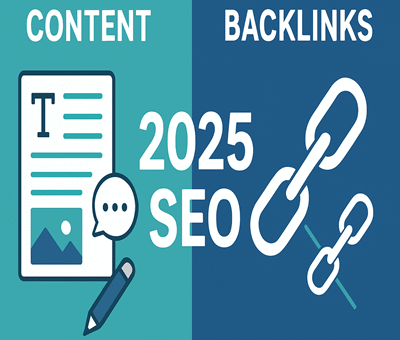
Content vs Backlinks: What Really Matters in 2025 SEO

SEO

The debate around content vs backlinks has been going on for years in the SEO world. As we step into 2025, the rules of Google ranking continue to evolve, but one question remains: what really matters more — content or backlinks? Let’s break it down.


The Role of Content in 2025

Content has always been the backbone of SEO. In 2025, Google’s algorithms have become smarter than ever, focusing heavily on:

  • Relevance & Depth: Shallow content is quickly ignored. In-depth, niche-specific content ranks higher.

  • User Experience: Content that satisfies intent — whether informational, transactional, or navigational — performs better.

  • E-E-A-T Factors: Experience, Expertise, Authoritativeness, and Trustworthiness are now non-negotiable.

High-quality content also naturally attracts backlinks, making it a double win.


The Power of Backlinks in 2025

Backlinks are still a major ranking factor, but their quality outweighs quantity more than ever before. Google now focuses on:

  • Relevance of Links – Links from niche-related sites have more impact.

  • Authority of Domains – Backlinks from trusted, established websites remain powerful.

  • Natural Link Building – Paid or manipulative link schemes are riskier than ever.

Backlinks act as endorsements, proving your site deserves attention.


Content vs Backlinks: The Real Answer

The truth is — you can’t ignore either. In 2025, SEO success comes from balancing both:

  • Without great content, backlinks won’t stick.

  • Without quality backlinks, even the best content may struggle to rank.

Think of content as the foundation and backlinks as the fuel. Together, they drive visibility and authority.


Final Thoughts

In 2025, the SEO game isn’t about choosing between content vs backlinks — it’s about leveraging both strategically. Create valuable, audience-focused content and amplify it through authentic backlink building. That’s the formula for long-term rankings and online growth.

Affordable SEO India

How to Rank a New Website on Google in Just 90 Days

How to Rank a New Website on Google in Just 90 Days

SEO

Launching a new website is exciting, but the real challenge begins when you want it to rank on Google. The truth is, search engine optimization (SEO) is a marathon, not a sprint. However, with the right strategy and consistent efforts, you can start seeing significant results in as little as 90 days.

Here’s a step-by-step guide to help your new website climb Google’s search rankings:


1. Build a Strong Foundation (Week 1–2)

  • Keyword Research: Use tools like Google Keyword Planner, Ahrefs, or SEMrush to find low-competition, high-intent keywords.

  • On-Page SEO: Optimize titles, meta descriptions, headers, and URLs.

  • Mobile-Friendly & Fast Loading: Google prioritizes websites with good user experience, so make sure your site is responsive and optimized for speed.


2. Publish High-Quality Content (Week 2–6)

  • Create pillar content around your main topics and support them with blog posts.

  • Focus on user intent—write content that solves real problems for your target audience.

  • Publish consistently—Google loves fresh content.


3. Build Authority with Backlinks (Week 4–10)

  • Guest post on relevant blogs in your niche.

  • Submit your website to directories and forums.

  • Collaborate with influencers or industry experts for mentions and backlinks.

  • Use social sharing platforms like LinkedIn, Reddit, and Quora to promote your content organically.


4. Optimize for Technical SEO (Ongoing)

  • Submit your sitemap to Google Search Console.

  • Fix broken links, improve internal linking, and set up proper redirects.

  • Optimize images with alt tags and compression.

  • Ensure HTTPS security for trustworthiness.


5. Track, Analyze & Adjust (Week 8–12)

  • Use Google Analytics and Search Console to track keyword rankings, impressions, and clicks.

  • Double down on content that performs well.

  • Update and repurpose old blogs to keep them relevant.


6. Leverage Local SEO (If Applicable)

  • Register your business on Google Business Profile.

  • Collect reviews from happy customers.

  • Target location-based keywords.


Final Thoughts

Ranking a new website on Google in just 90 days requires focus, effort, and patience. By combining quality content, backlinks, technical optimization, and consistent analysis, you can dramatically improve your visibility in search results.

Remember—SEO is an ongoing process. The key is consistency and adaptability.

Affordable SEO India

How to Make WordPress Websites Lightning Fast in 2025

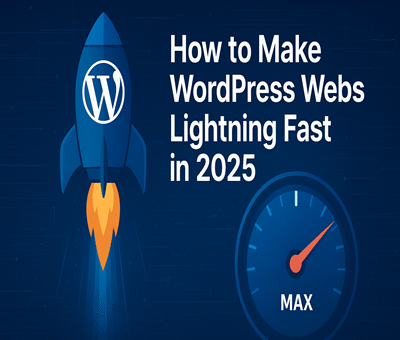
How to Make WordPress Websites Lightning Fast in 2025

WordPress

In today’s fast-paced digital world, website speed is everything. A slow-loading WordPress site doesn’t just frustrate users—it hurts SEO rankings, reduces conversions, and lowers engagement. As we move into 2025, Google’s Core Web Vitals have made speed optimization more important than ever.

The good news? With the right strategies, you can make your WordPress website lightning fast. Let’s explore step-by-step techniques to speed up your site.


1. Choose a High-Performance Hosting Provider

Your hosting provider is the foundation of your website’s performance. A slow server will bottleneck your efforts, no matter how much optimization you do.

  • Opt for managed WordPress hosting like Kinsta, WP Engine, or SiteGround.

  • Look for SSD/NVMe storage and server-level caching.

  • Consider CDN integration for global reach.


2. Use a Lightweight WordPress Theme

Bloated themes slow down websites. Instead, go for minimal, performance-focused themes such as:

  • GeneratePress

  • Astra

  • Kadence

  • Block-based WordPress themes

These themes are optimized for speed while remaining flexible for customization.


3. Optimize Images Like a Pro

Images are often the biggest culprits in slow-loading sites.

  • Use next-gen formats like WebP or AVIF.

  • Compress images with tools like Smush or Imagify.

  • Implement lazy loading so images load only when users scroll to them.


4. Install a Caching Plugin

Caching drastically reduces load times by storing static versions of your pages.
Top WordPress caching plugins:

  • WP Rocket (premium but powerful)

  • W3 Total Cache (free)

  • LiteSpeed Cache (great for LiteSpeed servers)


5. Use a Content Delivery Network (CDN)

A CDN delivers your website’s files from servers closest to the user, improving speed worldwide. Popular CDNs include:

  • Cloudflare

  • BunnyCDN

  • KeyCDN


6. Minify & Combine CSS, JS, and HTML

Unnecessary code slows down rendering. Use tools like:

  • Autoptimize

  • Asset CleanUp

  • WP Rocket’s file optimization

This will reduce file sizes and improve loading speed.


7. Clean Up Your Database

Over time, WordPress databases collect unnecessary data—like post revisions, transients, and spam comments.

  • Use plugins like WP-Optimize or Advanced Database Cleaner.

  • Schedule automatic cleanups to maintain performance.


8. Limit Plugins and External Scripts

Too many plugins = slower performance.

  • Only install essential plugins.

  • Avoid plugins that duplicate functionality.

  • Host fonts locally and minimize third-party scripts like tracking codes.


9. Enable GZIP or Brotli Compression

Compression reduces file sizes before sending them to the browser.

  • Check with your host or enable via caching plugins.

  • Use Brotli if your host supports it—it’s even faster than GZIP.


10. Monitor Performance Regularly

Optimization is not a one-time task. Continuously monitor site speed with tools like:

  • Google PageSpeed Insights

  • GTmetrix

  • Pingdom

  • WebPageTest

Regular audits help you catch new bottlenecks early.


Conclusion

A fast WordPress website isn’t just a luxury in 2025—it’s a necessity. By choosing the right hosting, optimizing images, using caching, and keeping your site lean, you’ll not only improve user experience but also rank higher on search engines.

Take these steps today and watch your WordPress site fly like a rocket 🚀.

WordPress Features That Can Boost Your Website Rankings

Notable AI Plugins for Drafting Blog Posts in WordPress

Notable AI Plugins for Drafting Blog Posts in WordPress

WordPress

Notable AI Plugins for Drafting Blog Posts in WordPress

1. Divi AI

  • Integrated into the Divi theme and page builder.

  • Generates everything from headings and paragraphs to full blog posts based on your site’s content and context.

  • Also offers image generation, code snippets, grammar fixes, tone adjustments, and translations.WordPress Tutorial Videos by WP101®Uxify

2. AI Blog Generator (by Kudosta)

  • A dedicated plugin that crafts well-structured blog posts in seconds.

  • Lets you customize tone, length, themes, and keywords—and even automatically formats or drafts a post in your WordPress admin.WordPress.org

3. 10Web AI Assistant

  • Works inside both Gutenberg and Classic editors.

  • Offers 20+ templates, multilingual support, idea outlines, paraphrasing, and content generation.UxifyInstaWP

4. Bertha AI

  • Compatible with many page builders, SEO tools, e-commerce setups, and LMS plugins.

  • Includes templates for blog posts, alt text generation, value proposition, content summaries, and more.Uxify

5. GetGenie

  • Uses GPT-3.5, GPT-4, and DaVinci models.

  • Offers 37+ writing templates, SEO-oriented content, and includes free monthly credits (e.g., 2,500 words/month).Uxify

6. AI Engine

  • A highly flexible plugin powered by OpenAI.

  • Supports content and image generation, chatbot creation, prompt templates, tracking, and more.WPBeginner

7. Elementor AI (AI Copilot)

  • Built into Elementor, the popular page builder.

  • Provides context-aware writing (e.g. headlines, intros), image generation/editing, code generation, and translations (25 languages).TechRadar


Quick Comparison Table

Plugin Highlights Best For
Divi AI Full-post generation + images + code Users of the Divi builder wanting seamless AI
AI Blog Generator Fast draft creation, customizable outputs Straightforward blog drafting workflows
10Web AI Assistant Templates, multilingual support Editors using Gutenberg or Classic
Bertha AI SEO & content templates + alt text Content teams across page builders
GetGenie GPT-powered + free credits Budget-conscious bloggers + SEO focus
AI Engine Versatile building blocks and chatbot Developers needing custom AI tools
Elementor AI Contextual copy, visuals, code, translation Elementor users seeking AI-enhanced workflow

Tips for Choosing the Right One

  1. If you need a quick complete draft: Divi AI, AI Blog Generator, or GetGenie are great starters.

  2. Using page builders?

    • Go with Elementor AI if you’re on Elementor.

    • Choose Divi AI if you’re using Divi.

    • Consider Bertha AI for compatibility across many builders.

  3. Want structured templates and multilingual features? Try 10Web AI Assistant.

  4. Need versatile tools and custom workflows? AI Engine is a flexible and powerful option.

  5. Budget-conscious? GetGenie offers free word credits to test and refine drafts.


Final Word

In 2025, WordPress AI plugins are robust and fast enough to produce draft blog posts within minutes. Whether you’re a solo blogger seeking efficiency or a content team aiming for consistency and scale, there’s a plugin to fit your workflow.

Why WordPress Is Still the Best CMS in 2025

Why WordPress Is Still the Best CMS in 2025

WordPress

In a rapidly evolving digital landscape filled with new platforms and flashy content management systems (CMS), one name continues to dominate the conversation in 2025: WordPress. Despite being over two decades old, WordPress remains the most popular and versatile CMS in the world—and for good reason. Whether you’re a blogger, a business owner, or a developer, WordPress continues to deliver unmatched value, scalability, and control.

Here’s why WordPress is still the best CMS in 2025:


1. Massive Market Share and Community Support

As of 2025, WordPress powers over 40% of all websites on the internet. This staggering figure isn’t just a vanity metric—it reflects the platform’s reliability and adaptability.

  • A global community of developers, designers, and content creators contributes to its ecosystem.

  • Thousands of forums, tutorials, and documentation resources are available for troubleshooting and learning.

  • An active user base means rapid updates, bug fixes, and security patches.


2. Unmatched Flexibility and Customization

From simple blogs to complex eCommerce sites and enterprise-level platforms, WordPress can handle it all.

  • 55,000+ plugins make it easy to add features like SEO optimization, forms, analytics, social integration, and more.

  • Thousands of themesboth free and premium—allow for full design control.

  • Custom post types, taxonomies, and advanced field plugins (like ACF) give developers fine-grained control over content structure.


3. User-Friendly Interface

Not everyone is a tech expert—and WordPress gets that.

  • The block editor (Gutenberg) has matured significantly in 2025, offering a smooth, drag-and-drop experience.

  • Non-technical users can now build beautiful pages without touching a line of code.

  • Site owners can manage media, schedule posts, and update content from a clean, intuitive dashboard.


4. Strong SEO Capabilities

Search engine visibility is critical in 2025, and WordPress continues to lead in SEO-friendliness.

  • SEO plugins like Yoast SEO and Rank Math help optimize content, meta tags, and site structure.

  • WordPress’s clean code and fast loading times support better search engine rankings.

  • Integration with tools like Google Analytics and Search Console is seamless.


5. Headless Capabilities and Modern Development

WordPress has embraced modern web development trends, making it appealing to developers in 2025.

  • Use WordPress as a headless CMS with a REST API or GraphQL for decoupled frontends.

  • Integrate with React, Vue, or other JavaScript frameworks while keeping the powerful WordPress backend.

  • Compatibility with containerization (Docker), CI/CD pipelines, and version control via Git.


6. Cost-Effective and Open Source

In a world where proprietary platforms often come with hefty price tags, WordPress’s open-source nature is a huge advantage.

  • It’s free to use, with many affordable hosting providers available.

  • You own your content and your code—no vendor lock-in.

  • Ideal for startups, non-profits, and businesses looking to minimize expenses without compromising quality.


7. Security and Scalability

Security has been a major focus for WordPress in recent years.

  • Regular core updates and a large library of vetted plugins enhance security.

  • Managed WordPress hosting providers offer built-in security features and firewalls.

  • Scales effortlessly—from a few visitors a day to millions per month—with the right infrastructure.


8. eCommerce Power with WooCommerce

When it comes to eCommerce, WooCommerce is the most popular WordPress plugin and one of the leading platforms globally.

  • Full control over your store, from products to checkout to customer data.

  • Thousands of extensions and themes for personalization.

  • No transaction fees or limitations compared to proprietary eCommerce platforms.


Conclusion: WordPress Isn’t Just Surviving—It’s Thriving

In 2025, WordPress isn’t just a legacy CMS—it’s a continually evolving platform that meets the needs of modern websites. Its open ecosystem, community-driven development, and adaptability ensure that it remains at the top of the CMS world.

Whether you’re building your first site or scaling a global business, WordPress offers the perfect blend of power, simplicity, and freedom. That’s why, even in 2025, WordPress is still the best CMSand likely will be for years to come.


Ready to build with WordPress? Explore themes, plugins, and expert resources today to create a site that truly stands out.Connect with Best WordPress Developer India.