How to Turn Your High-Traffic Store into a Native Mobile App Without Starting from Scratch

How to Turn Your High-Traffic Store into a Native Mobile App Without Starting from Scratch

React, WordPress

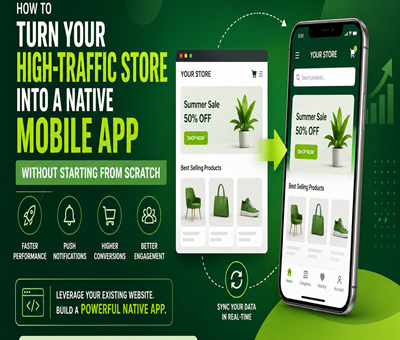
Your high-traffic store is already winning on the web — so the next logical question is whether you should be investing in mobile application services to take that audience native. The good news: you don’t need to throw away your existing store, your CMS, or your product catalog to launch a mobile app. With the right approach, you can turn your existing store into a fast, polished native experience for iOS and Android in weeks instead of months.

In this guide, we’ll walk through the practical, modern path to converting an existing high-traffic store into a native mobile app — what to reuse, what to rebuild, what to avoid, and how to choose the right partner for mobile application services. If you also want a free, expert review of your current store before you commit, grab our free website audit.

Why High-Traffic Stores Need a Native Mobile App

A native app isn’t a vanity project — for a busy store, it’s a revenue lever. Mobile commerce now drives the majority of online retail interactions. According to Statistic, mobile devices accounted for roughly over 60% of global website traffic, and shoppers spend significantly more time inside native apps than on mobile web. That gap is exactly why merchants invest in mobile application services: native apps offer push notifications, faster checkout, offline browsing, bio-metric login, and a home-screen icon that brings customers back without paying for re-acquisition.

If your store is already getting consistent traffic, you have something most app builders don’t: proof of demand. You don’t need to guess what users want — you have data, best-sellers, and a working brand. That’s the perfect launch pad for a native app.

Signs You’re Ready to Move From Store to App
  • Your mobile traffic share is consistently above 50%.
  • You have a base of repeat customers who buy more than twice a year.
  • You spend heavily on re-targeting ads to bring shoppers back.
  • Your competitors already have an app (or are about to launch one).
  • Cart abandonment is highest on mobile browsers — push notifications can rescue most of it.
You Don’t Have to Start From Scratch — Here’s Why

The biggest myth about mobile application services is that going native means rebuilding your entire back-end, redesigning your catalog, and re-syncing inventory from zero. That’s outdated thinking. Modern app development reuses everything you already own — your CMS, your payment gateway, your product database, your shipping logic, and your design system — and wraps a native experience around them.

If you already have a polished store (especially on WordPress, Woo-commerce, Shopify, or Magneto), the heavy lifting is done. Our mobile app development service is built specifically for this scenario: keep your store, add a native layer, ship to the App Store and Play Store.

4 Proven Paths to Convert Your Store Into a Native Mobile App

There isn’t one “right” way to convert a store. Choose the path that matches your traffic volume, budget, and growth goals.

1. Headless Commerce + Native App Shell

Use your existing store as a headless back-end — the storefront API serves products, cart, and checkout — while a native iOS and Android app handles the UI. This is the gold standard for high-traffic stores because it gives you the speed and feel of a true native app without rebuilding business logic. It’s what most enterprise mobile application services recommend in 2026.

2. Hybrid App With React Native or Flutter

One codebase deploys to both iOS and Android. You reuse your store’s APIs, your branding, and your checkout flow, and you ship two apps from one team. For mid-sized stores doing under $5M/year, this is usually the most cost-effective option.

3. Progressive Web App (PWA) as a Stepping Stone

If you’re not ready to commit to native yet, a PWA gives you most of the benefits — installable icon, offline mode, push notifications on Android — at a fraction of the cost. We’ve covered this in detail in our guide to PWA vs Native apps for WordPress websites. Many high-traffic stores launch a PWA first, then graduate to native once mobile revenue justifies it.

4. Woo-commerce or Shopify App Wrappers

If you’re on Woo-commerce, plugins and SDKs can convert your store into a native app shell with deep API integration. We pair this with our shopping cart design and WordPress customization services to ensure performance, conversion, and mobile UX are optimized before the app ever launches.

What Reliable Mobile Application Services Actually Include

Not every agency offers the full stack. When you’re evaluating mobile application services, make sure the scope covers the entire lifecycle — not just the “build” phase. A proper engagement should include:

  • Discovery & UX audit — mapping your current store flows to native screens.
  • API integration — connecting to your existing CMS, cart, and payment gateway.
  • Native UI design — iOS Human Interface Guidelines and Material 3 compliant.
  • Push notification engine — for cart recovery, restocks, and promotions.
  • Analytics & crash reporting — Firebase, Mix-panel, or your existing stack.
  • App Store and Play Store submission — including review prep and rejection handling.
  • Post-launch support — OS updates, security patches, and iteration.

You can see the full menu of what we deliver under our services — from strategy to launch to long-term maintenance.

How Long Does It Take to Launch a Native App From an Existing Store?

Realistic timelines, assuming you already have a live store with stable APIs:

  • PWA conversion — 2 to 4 weeks.
  • Hybrid app (React Native / Flutter) — 6 to 10 weeks.
  • Fully native iOS + Android with custom features — 10 to 16 weeks.
  • Headless commerce overhaul + native app — 12 to 20 weeks.

Anyone promising a “native app in 5 days” is selling you a wrapper around your mobile website — that’s not a real app, and the App Store will often reject it.

Common Mistakes to Avoid During Conversion
  1. Copy-pasting the desktop UX. Mobile users tap, swipe, and scroll — they don’t hover or right-click. The IA has to be redesigned around thumbs.
  2. Skipping push notification strategy. Push is the #1 reason native outperforms web. Plan it before you build.
  3. Ignoring app store SEO (ASO). Your app needs keywords, screenshots, and reviews — not just code.
  4. Forgetting analytics. Without funnel tracking inside the app, you’ll never know why mobile conversions changed.
  5. Choosing the cheapest vendor. Cheap mobile application services usually mean Web-view wrappers, no native polish, and rejected store submissions.
How to Choose the Right Mobile Application Services Partner

Use this short checklist before you sign any contract:

  • Do they have published apps live on both Apple App Store and Google Play?
  • Can they show conversion lift data from previous store-to-app projects?
  • Do they own the entire stack — design, native code, back-end integration, and ASO?
  • Do they offer post-launch maintenance, or do they disappear after delivery?
  • Are their mobile application services transparent on cost, timeline, and code ownership?

If you want a partner who actually checks every one of those boxes, request a free consultation and we’ll walk you through your store, your data, and your fastest path to a native app.

Frequently Asked Questions

1. Do I need to rebuild my online store to launch a mobile app?
No. Modern mobile application services reuse your existing CMS, product database, and payment gateway through APIs. You keep the store you already own and add a native layer on top.

2. What is the average cost of converting a high-traffic store into a mobile app?
For a mid-sized store, hybrid React Native or Flutter apps typically range from $8,000 to $35,000. Fully native iOS + Android builds with advanced features usually start around $25,000 and scale up with complexity.

3. Will a native app actually increase my revenue?
For stores with repeat-buyer behavior, yes. Native apps consistently produce higher session times, higher AOV, and 2x to 4x repeat purchase rates compared to mobile web — primarily because of push notifications and one-tap checkout.

4. iOS, Android, or both — which one should I launch first?
Launch both. Cross-platform frameworks like React Native and Flutter make it inexpensive to do so, and your customer base is almost certainly split between the two ecosystems.

5. Can a mobile app be developed without coding from scratch?
Yes — through hybrid frameworks, headless commerce APIs, and reusable design systems, professional mobile application services can launch a native-quality app while reusing 60–80% of your existing store’s logic and content.

6. How do you handle App Store and Play Store approvals?
A reliable partner takes care of submission, store listings, screenshots, privacy policy, in-app purchase compliance, and rejection appeals — all part of a complete mobile application services engagement.

Final Thoughts

You spent years building traffic, trust, and inventory in your store. Don’t throw any of that away to chase a native app — extend it instead. With the right mobile application services partner, your existing store becomes the engine and your native app becomes a high-conversion, high-retention storefront in your customer’s pocket.

If you’d like a tailored roadmap for your store, start with a quick free website audit, browse more articles on the blog, or reach out directly to discuss your mobile app development project. The fastest path to a great app starts with the store you already have.

From Traditional CMS to High-Speed Web App: Why Brands Are Choosing Headless Architecture with React in 2026

From Traditional CMS to High-Speed Web App: Why Brands Are Choosing Headless Architecture with React in 2026

React, WordPress

The web has always been a moving target — but in 2026, it’s moving faster than ever. Brands that built their digital presence on traditional CMS platforms like WordPress or Drupal are waking up to an uncomfortable truth: the very foundations they relied on for years are now holding them back. Loading times, scalability limits, plugin vulnerabilities, and inability to serve content across multiple channels simultaneously are no longer acceptable trade-offs.

Enter headless architecture powered by React — the combination that’s rapidly becoming the gold standard for brands that are serious about performance, scalability, and future-readiness. And for teams looking to build these next-generation experiences without blowing their budgets, the decision to hire React developers in India is proving to be the smartest business move of the decade.

In this comprehensive guide, we’ll break down the shift from traditional CMS to headless web apps, what’s driving it, why React is the frontend of choice, and how hiring skilled Indian React developers gives you a serious competitive edge.

The Problem with Traditional CMS in 2026

For years, platforms like WordPress, Joomla, and Drupal defined how the web worked. They were revolutionary for their time — offering non-technical users the ability to publish content quickly through a unified system. But the digital landscape has changed dramatically.

Traditional CMS platforms tie the frontend (what users see) tightly to the backend (where content is stored and managed). This “coupled” or “monolithic” architecture was fine in the era of single-device, desktop-first websites. Today, it’s a liability.

Here’s what the data says:

  • WordPress still powers 43% of all websites globally, but its dominance is increasingly accompanied by performance trade-offs and security headaches.
  • In 2025, over 11,000 vulnerabilities were reported in WordPress, with around 90% of them originating from plugins and themes.
  • 49% of WordPress users report it takes over an hour to publish content, and 14% face delays of a full day or more — a critical barrier in fast-moving, multichannel environments.
  • Traditional CMS platforms struggle to deliver content seamlessly to mobile apps, IoT devices, voice interfaces, and emerging digital touchpoints.

The old model — a single template rendering content for a single channel — simply can’t keep up. Brands are realizing this, and they’re acting on it.

What Is Headless Architecture, and Why Does It Matter?

The term “headless” simply means removing the “head” — the frontend — from the CMS. Instead of the CMS controlling both how content is stored and how it’s displayed, the backend becomes a pure content repository that delivers data via APIs. The frontend is then built independently, usually using a modern JavaScript framework like React.

Think of it like a central kitchen supplying multiple restaurants, food trucks, and delivery services simultaneously. The kitchen (your CMS) focuses on preparing great content. The delivery mechanism (React, Next.js, etc.) decides how that content reaches each customer — whether through a website, a mobile app, a smartwatch, or even an AI interface.

The results are measurable and significant:

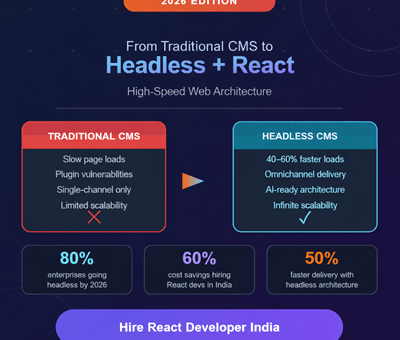
  • Headless architecture delivers 40–60% lower latency and up to 50% faster load times compared to traditional CMS platforms, thanks to CDN caching and static site generation.
  • 79% of headless adopters report improved scalability compared to their monolithic predecessors.
  • 80% of headless adopters feel their organization is ahead of competitors in delivering new digital experiences.
  • One major e-commerce platform that migrated to AI-powered headless CMS in 2025 achieved a 26% increase in online orders and a 50% improvement in website performance.
  • Development teams report 30–50% faster feature delivery as coordination overhead disappears.

The market is responding accordingly. The global headless CMS market is expanding from $973.8 million in 2025 to a projected $7.11 billion by 2035, reflecting a compound annual growth rate of 22.6%. More than 80% of large enterprises plan to adopt headless or composable CMS architectures by 2026 as part of their broader digital transformation strategies.

This isn’t hype — it’s a fundamental architectural shift driven by real business outcomes.

Why React Is the Frontend of Choice for Headless Architecture

When brands go headless, they need a powerful, flexible, and battle-tested frontend framework to consume their APIs and render content at speed. In 2026, React remains the undisputed leader.

Created by Meta (Facebook), React powers the frontends of companies like Netflix, Airbnb, Instagram, Shopify, and thousands of enterprise applications worldwide. Here’s why it remains the go-to choice:

1. Component-Based Architecture

React’s component-based model allows developers to build reusable UI blocks that can be composed into complex interfaces with ease. This is perfect for headless projects where content types need to render consistently across multiple pages and platforms.

2. Virtual DOM for Blazing Performance

React’s Virtual DOM efficiently updates only the parts of a page that have changed, rather than re-rendering the entire page. This results in significantly faster user interfaces — critical for brand credibility and SEO.

3. Server-Side Rendering with Next.js

When paired with Next.js, React supports server-side rendering (SSR) and static site generation (SSG), enabling fast initial page loads and full SEO compatibility. This bridges the gap between the interactivity of a single-page app and the crawlability of a traditional website.

4. Rich Ecosystem

With tools like Redux, React Query, Zustand, and React Router, the React ecosystem provides mature, production-ready solutions for state management, data fetching, and navigation — all essential for complex headless web apps.

5. AI-Ready Frontends

In 2026, React’s flexibility makes it ideal for integrating AI-powered personalization, real-time content recommendations, and dynamic user experiences — capabilities that are becoming table stakes for competitive digital brands.

The Business Case for Headless + React: By the Numbers

Let’s get specific about the ROI brands are seeing when they make the shift.

MetricTraditional CMSHeadless + React
Page Load SpeedBaseline40–60% faster
Feature Delivery TimeBaseline30–50% faster
Scalability SatisfactionLow79% report improvement
Security Vulnerability RiskHigh (plugin-driven)Significantly reduced
Time-to-MarketSlow (49% report 1hr+ publish times)Dramatically improved
Competitor AdvantageStandard80% feel ahead

Every 100ms improvement in site speed yields approximately +8.4% improvement in conversion rates — meaning the performance gains from headless architecture translate directly into revenue growth.

Top Headless CMS Platforms to Pair with React in 2026

The headless CMS ecosystem has matured rapidly. Here are the leading platforms brands are combining with React frontends:

Sanity — Best for structured content and real-time collaboration. Treats content as programmable data stored in a Content Lake, making it ideal for AI-powered workflows and automation.

Contentful — Best for large enterprise environments with complex localization needs, robust governance, and compliance requirements.

Storyblok — Best for teams that want visual editing capabilities without sacrificing headless flexibility. Non-technical marketing teams love its drag-and-drop interface.

Strapi — Best for teams that want open-source control and self-hosting options. Requires more developer involvement to maintain and scale.

Payload CMS — Best for Next.js ecosystems, offering tight integration with modern React server components.

All of these platforms offer free tiers for testing. The right choice depends on your team’s technical sophistication, content complexity, and channel requirements.

Why Brands Are Choosing to Hire React Developers in India

Building a headless React architecture requires serious frontend engineering talent. And in 2026, the smartest sourcing decision for most global brands — from startups to enterprises — is to hire React developers in India.

Here’s the data-driven case for it:

Massive, Highly Skilled Talent Pool

India produces over 1.5 million engineering graduates annually, with a significant concentration in JavaScript and React. As of early 2026, Glassdoor lists nearly 5,000 open React JS developer roles in India alone — indicating a thriving, competitive talent market.

Dramatic Cost Savings

This is where the numbers become undeniable. A mid-level ReactJS developer in India costs between $12 to $40 per hour, compared to the US average of $62 per hour. Senior React developers from India typically command $22 to $30 per hour, while equivalent talent in the US costs $70–$150 per hour.

For companies managing development budgets, this translates to 60–70% cost savings without sacrificing quality. Indian React developers use the same tools (GitHub, Slack, AWS/GCP), follow the same Agile workflows, and build to the same production standards as their US counterparts.

Deep Technical Expertise

Indian developers have been building with React since its early days. Top candidates bring production-level depth in:

  • Modern JavaScript (ES6+), including closures, async/await, and destructuring
  • React Hooks (useState, useEffect, useContext, useReducer)
  • State management with Redux, Zustand, and Context API
  • Server-side rendering with Next.js and React Server Components
  • REST and GraphQL API integration
  • Performance optimization via code splitting, lazy loading, and memoization
  • Testing with Jest and React Testing Library

Flexible Engagement Models

In 2026, the most popular model for hiring Indian React developers is through an Employer of Record (EOR) or dedicated team model. This gives global companies full control over their development team without the legal complexities of setting up a local entity in India. Options include:

  • Dedicated development teams — ideal for long-term projects requiring consistent collaboration
  • Project-based engagement — for defined scope with clear deliverables
  • Staff augmentation — to extend an existing team with specific React expertise
  • Outsourcing agencies — for end-to-end project delivery with managed teams

Time Zone Advantage

Indian developers offer significant overlap with European working hours and partial overlap with US time zones, making async-first collaboration highly effective with proper tooling and communication protocols.

How to Successfully Hire React Developers in India: A Practical Guide

Knowing why to hire is only half the battle. Here’s how to do it right.

Step 1: Define Your Technical Requirements Clearly

Before reaching out to candidates, document exactly what you need:

  • Specific React version and ecosystem tools (Next.js, Redux, GraphQL, etc.)
  • Type of application (SPA, SSR, e-commerce, SaaS, etc.)
  • Integration requirements (headless CMS, REST APIs, third-party services)
  • Performance benchmarks and Core Web Vitals targets

Step 2: Screen for the Right Technical Depth

Thousands of developers list “React” on their profiles. The ones who ship production-grade headless applications have a deeper skill set. Screen specifically for:

  • Strong JavaScript fundamentals (not just React knowledge)
  • Experience with the specific headless CMS platform you’re using
  • Performance optimization track record
  • Understanding of API architecture (REST and GraphQL)
  • Familiarity with CI/CD pipelines and cloud deployment (AWS, GCP, or Azure)

Step 3: Evaluate Communication and Collaboration Skills

Technical skill is table stakes. For remote collaboration across time zones to work, your Indian React developers must be strong communicators. Look for:

  • Clear written English in emails and documentation
  • Comfort with video calls and async-first workflows
  • Experience working with international clients

Step 4: Use Pre-Vetted Hiring Channels

The best results come from combining your own sourcing with a partner who understands the Indian developer market. Options include:

  • Specialized React development agencies in India
  • Global talent platforms like Toptal, Arc.dev, and Turing
  • EOR providers that handle sourcing, vetting, and compliance
  • Direct hiring on platforms like LinkedIn with India-specific filters

Step 5: Start with a Paid Technical Assessment

Before committing to a long-term engagement, run a paid, time-boxed technical task relevant to your actual headless project. This reveals problem-solving approach, code quality, and ability to follow specifications.

Real-World Use Cases: Where Headless React Delivers the Most Value

The headless + React combination isn’t the right solution for every scenario — but for the following use cases, it’s transformative:

E-commerce at scale — Brands that need to serve product catalogs, personalized recommendations, and real-time inventory updates across web, mobile, and in-store kiosks simultaneously.

Media and publishing — Publishers delivering content to websites, mobile apps, newsletters, podcast apps, and social aggregators from a single content repository.

SaaS product dashboards — Complex, data-rich interfaces that require real-time updates, role-based access control, and high interactivity.

Global enterprise sites — Multinational brands needing localization, multi-region content delivery, and strict performance SLAs across diverse geographies.

AI-powered personalization — Platforms that use machine learning to customize content, product recommendations, and UI elements based on user behavior in real time.

The Cost of Waiting: Why 2026 Is the Year to Act

The transition window is closing. Organizations that rethink their architecture and align with future-ready platforms now will be well-positioned for the age of AI, automation, and omnichannel engagement.

The headless CMS market has grown from $84 billion in 2025 to $91.55 billion in 2026, and is projected to reach $155.2 billion by 2032. Organizations that delay their migration face:

  • Compounding technical debt on aging monolithic systems
  • Widening performance gaps vs. competitors who’ve already transitioned
  • Growing security risks from plugin-dependent CMS architectures
  • Inability to integrate AI-powered workflows and omnichannel delivery

Early adopters are already seeing 30–50% faster time-to-market, improved scalability, and true omnichannel capabilities. For brands still on traditional CMS, every month of delay is a month of lost competitive ground.

Frequently Asked Questions (FAQs)

Q1: What is the difference between a traditional CMS and a headless CMS?

A traditional (or “coupled”) CMS stores content and controls its presentation in one integrated system — the backend and frontend are tightly linked, delivering complete web pages from a single platform. A headless CMS decouples these layers: it manages and stores content in the backend and delivers it via APIs to any frontend (React, mobile app, IoT device, etc.) of your choice. This separation enables greater flexibility, speed, and omnichannel delivery.

Q2: Why is React the best choice for headless architecture?

React’s component-based architecture, Virtual DOM performance optimization, and mature ecosystem (including Next.js for SSR/SSG) make it uniquely suited for headless frontends. It provides the developer experience needed to consume CMS APIs efficiently, render content at high speed, and support complex, interactive user interfaces. Its widespread adoption also means a large global talent pool and long-term community support.

Q3: How much does it cost to hire a React developer in India in 2026?

Rates vary by experience level. Junior React developers in India typically charge $15–$25 per hour, mid-level developers range from $22–$40 per hour, and senior React developers charge $25–$50 per hour. This compares favorably with US rates of $70–$150 per hour for equivalent skill levels — resulting in 60–70% cost savings for international companies.

Q4: Is it safe and reliable to hire React developers from India?

Yes, provided you use proper contracts, NDAs, and secure workflows. India’s tech industry has a long track record of delivering production-grade software for global clients across US, UK, Europe, UAE, and Australia. Most Indian development firms follow international standards, Agile methodologies, and use the same tools as Western teams. Partnering with established agencies or EOR providers adds an additional layer of reliability and legal protection.

Q5: What headless CMS platforms work best with React?

The top headless CMS platforms with strong React and Next.js integration include Contentful, Sanity, Storyblok, Strapi, and Payload CMS. The right choice depends on your team’s technical resources, content complexity, and whether you need visual editing for non-technical marketers (Storyblok), enterprise governance (Contentful), or structured content for AI workflows (Sanity).

Q6: How long does it take to migrate from a traditional CMS to headless?

Migration timelines vary by project complexity. Simple sites can complete the transition in 4–12 weeks. Enterprise migrations with complex integrations, localization, and large content libraries can take 6–18 months. A phased approach — piloting headless with a specific brand, region, or content type before full migration — is recommended to build ROI evidence and manage risk.

Q7: Can I keep my existing CMS (like WordPress) and go headless?

Yes. WordPress can be configured to run in “headless mode” using its REST API or GraphQL (via WPGraphQL), while React handles the frontend. This approach — sometimes called “decoupled WordPress” — allows teams to leverage their existing content while gaining the performance and flexibility benefits of a React frontend. However, for large-scale migrations, purpose-built headless CMS platforms often offer cleaner architectures and better developer experience.

Q8: What skills should I look for when hiring a React developer for a headless project?

Beyond core React proficiency, prioritize candidates with experience in Next.js (for SSR/SSG), GraphQL or REST API integration, familiarity with your chosen headless CMS platform, performance optimization techniques (code splitting, lazy loading, memoization), and knowledge of CI/CD pipelines. Strong JavaScript fundamentals (ES6+) are non-negotiable, as is experience with state management tools like Redux, Zustand, or the Context API.

Conclusion

The shift from traditional CMS to headless architecture with React isn’t a technology trend — it’s a business imperative. The performance gains are measurable (40–60% faster load times), the scalability benefits are proven (79% of adopters report improvement), and the competitive advantage is real (80% of headless adopters feel ahead of competitors).

React is the frontend framework of choice for this transition — mature, powerful, and backed by the largest JavaScript developer community in the world. And for organizations looking to build these high-performance, future-ready web experiences, the decision to hire React developers in India offers the most compelling combination of technical depth, cost efficiency, and scalability.

India produces 1.5 million engineering graduates annually, offers senior React talent at $22–$50/hour versus $70–$150/hour in the US, and its developers bring genuine production-level expertise in the full modern React stack. From dedicated teams to staff augmentation and EOR models, the engagement flexibility matches every business size and growth stage.

2026 is the year the transition reaches critical mass. The question isn’t whether to move to headless architecture — it’s whether you move now, or play catch-up later.

ReactJS VS Angular

The Zero-Downtime Migration: How to Move Your WordPress Site Without Destroying Your SEO

The Zero-Downtime Migration: How to Move Your WordPress Site Without Destroying Your SEO

WordPress

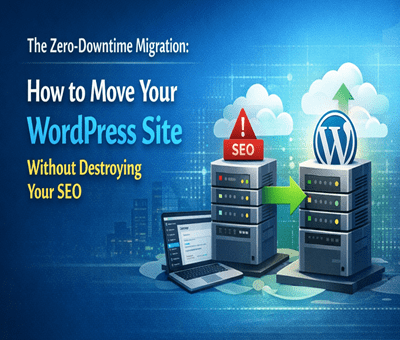
Migrating a website sounds simple—until your traffic drops, rankings disappear, and customers can’t access your site. That’s exactly what happens when a WordPress Site Migration is done wrong.

But here’s the good news: you can move your site without downtime and without losing SEO—if you follow the right process.

Let’s break it down step by step.

 What is WordPress Site Migration?

WordPress Site Migration means moving your website from one server, domain, or hosting provider to another.

Common reasons include:

  • Switching to faster hosting
  • Changing domain name
  • Redesigning website
  • Scaling business globally

But every migration carries risk—especially for SEO.

 Why Migration Can Destroy Your SEO

If not handled properly, migration can:

  • Break URLs
  • Cause 404 errors
  • Drop keyword rankings
  • Lose backlinks
  • Reduce site speed

Even a few hours of downtime can impact your Google rankings.

 Zero-Downtime Migration Strategy

Here’s the exact process pros use:

1. Take Full Backup (Non-Negotiable)

Before anything:

  • Backup database
  • Backup files
  • Store it locally + cloud

Tools you can use:

  • UpdraftPlus
  • All-in-One WP Migration

2. Set Up a Staging Environment

Never migrate directly.

Create a staging site where you:

  • Test everything
  • Fix bugs
  • Optimize performance

3. Migrate Website Files & Database

Move:

  • wp-content
  • themes & plugins
  • database

You can do this via:

  • cPanel
  • SSH
  • Migration plugins

4. Keep URL Structure SAME

This is where most people mess up.

 Your permalink structure MUST stay identical.

Example:

  • Old: /services/web-design
  • New: /services/web-design

Even small changes = SEO drop.

5. Implement 301 Redirects (If Needed)

If URLs change:

  • Use 301 redirects
  • Map old URLs → new URLs

This preserves SEO juice (link equity).

6. Update DNS at the Right Time

Once everything is ready:

  • Update DNS
  • Choose low-traffic hours
  • TTL should be low (like 300 seconds)

This minimizes downtime.

7. Test Everything After Migration

Check:

  • All pages working
  • Forms & checkout
  • Images loading
  • Mobile responsiveness

Use tools like:

  • Google Search Console
  • Screaming Frog

8. Submit Sitemap Again

After migration:

  • Resubmit sitemap
  • Request indexing

This helps Google re-crawl faster.

 Pro Tips to Protect SEO

  • Keep same domain if possible
  • Don’t change content during migration
  • Maintain internal linking
  • Monitor rankings daily for 2 weeks
  • Fix errors immediately

 Common Mistakes to Avoid

  • Migrating without backup
  • Changing URLs randomly
  • Ignoring redirects
  • Not testing staging site
  • Launching during peak traffic

 Final Thoughts

A successful WordPress Site Migration isn’t just about moving files—it’s about protecting your traffic, rankings, and revenue.

Do it right, and your site can actually perform better after migration.

Do it wrong, and you might lose months (or years) of SEO progress overnight.

Need help with zero-downtime migration?
Get  WordPress Expert  migration services that guarantee no SEO loss and no downtime.

The True Cost of Plugin Bloat: Why Scaling Businesses Need Custom WordPress Plugin Development in 2026

The True Cost of Plugin Bloat: Why Scaling Businesses Need Custom WordPress Plugin Development in 2026

WordPress

WordPress powers over 40% of the web, but here’s the catch—most growing businesses rely on dozens of plugins to run their site. At first, it feels like a quick win. Need a feature? Install a plugin. Done.

But as your business scales, this “plugin stacking” strategy turns into a silent performance killer. Slow loading speeds, security vulnerabilities, conflicts, and constant maintenance become everyday headaches.

If you’re serious about scaling in 2026, it’s time to rethink your approach—and yes, this is where you should hire WordPress developer for custom plugin development.

What is Plugin Bloat?

Plugin bloat happens when your website depends on too many plugins—especially poorly coded or unnecessary ones.

Each plugin adds:

  • Extra database queries
  • Additional scripts and styles
  • Increased load time
  • More points of failure

Individually, they seem harmless. Together, they create chaos.

The Hidden Costs of Plugin Bloat

1.  Slower Website Speed

Speed = money.

Every extra plugin adds weight to your site. Even a 1-second delay can drop conversions significantly.

  • Heavy plugins load unused code
  • Multiple plugins duplicate functionality
  • Frontend becomes cluttered with scripts

Result? Your users bounce before they even see your offer.

2.  Security Risks

More plugins = more vulnerabilities.

Outdated or poorly maintained plugins are the #1 entry point for hacks.

  • Abandoned plugins don’t get updates
  • Conflicts can expose security gaps
  • Increased attack surface

A single weak plugin can compromise your entire business.

3.  Compatibility Issues

Ever updated a plugin and your site broke? Yeah, that’s plugin conflict.

  • Plugins don’t always play well together
  • Updates can break core functionality
  • Debugging becomes time-consuming

This is especially painful for eCommerce or high-traffic sites.

4.  Rising Maintenance Costs

At scale, plugin management becomes a full-time job:

  • Constant updates
  • License renewals
  • Bug fixes
  • Developer intervention

What started as “cheap” becomes expensive real quick.

5.  Poor Scalability

Plugins are built for general use—not your specific business logic.

As your operations grow:

  • You need custom workflows
  • Better integrations
  • Optimized performance

Generic plugins just can’t keep up.

Why Custom WordPress Plugin Development is the Smart Move

Instead of stacking plugins, scaling businesses are shifting toward custom-built solutions.

1. Optimized Performance

Custom plugins are built only for what you need—nothing extra.

  • Cleaner code
  • Faster load times
  • Better user experience

No unnecessary bloat = maximum speed.

2.  Enhanced Security

When you hire WordPress developer, you get:

  • Secure coding practices
  • Regular updates tailored to your system
  • Minimal exposure to vulnerabilities

Less risk, more control.

3.  Perfect Fit for Your Business

Custom plugins are designed around your workflow:

  • Unique features
  • Tailored integrations
  • Automation aligned with your business

No compromises. No workarounds.

4.  Scalability Without Limits

As your business grows, your custom plugin grows with you.

  • Easily extendable
  • No dependency on third-party updates
  • Future-proof architecture

You’re building an asset, not patching problems.

5.  Long-Term Cost Savings

Yes, custom development has an upfront cost—but it saves money over time:

  • No recurring plugin fees
  • Fewer bugs and conflicts
  • Reduced maintenance

Think long-term ROI, not short-term hacks.

When Should You Hire WordPress Developer?

If you’re facing any of these, it’s time:

  • Your website feels slow despite optimization
  • You’re using 15+ plugins
  • Frequent site crashes or conflicts
  • You need custom functionality
  • You’re scaling traffic or revenue

At this point, continuing with plugins is like putting band-aids on a broken system.

Final Thoughts

Plugin bloat is one of the biggest hidden killers of WordPress performance in 2026.

While plugins are great for getting started, they’re not built for scaling businesses. If you want speed, security, and flexibility, the smartest move is to hire WordPress developer india and invest in custom plugin development.

Stop stacking plugins. Start building smarter.

The Hidden Technical SEO Bottlenecks Ruining Your WordPress Rankings

The Hidden Technical SEO Bottlenecks Ruining Your WordPress Rankings

SEO, WordPress

You publish high-quality content, build solid back-links, and meticulously optimize your on-page keywords. Yet, your WordPress site’s rankings suddenly flat line—or worse, disappear overnight after a core update.

When your content strategy is flawless but your traffic drops, the culprit is almost always invisible to the naked eye. Google is increasingly unforgiving of poor site architecture. If Google-bot struggles to crawl, render, or interact with your pages, your content will never see page one.

Here are the hidden technical SEO bottlenecks that are silently sabotaging your WordPress rankings, and exactly how to fix them.
1. Failing the INP (Interaction to Next Paint) Test

As of recently, Interaction to Next Paint (INP) has completely replaced FID as a primary Core Web Vital. INP measures how quickly your site responds to user clicks and taps.

If your WordPress site relies on heavy page builders (like older versions of Elementor or Divi) or loads excessive third-party tracking scripts, your server’s main thread gets blocked. When a user clicks a menu item and nothing happens for 300 milliseconds, Google penalizes the page for poor user experience.

The Fix: Delay JavaScript execution for non-essential scripts, optimize your CSS delivery, and ensure your caching plugin (like WP Rocket or Lite Speed Cache) is properly configured to minify and combine files.

2. Running Legacy Server Environments

A surprisingly common bottleneck is an outdated server environment. Your WordPress site might look modern on the front end, but if the back end is running on an outdated PHP version, your time-to-first-byte (TTFB) will suffer drastically.

Older PHP versions process requests slowly, which limits how many pages Google-bot can crawl during its allocated time. Upgrading your server environment to PHP 8.4 delivers massive improvements in code execution speed and resource management, significantly reducing server response times and keeping Google’s crawlers happy.
3. The Crawl Budget Black Hole (Taxonomy Bloat)

WordPress is notorious for auto-generating unnecessary pages. Every time you create a new tag, author, or date archive, WordPress creates a new URL. Over time, a site with 50 strong blog posts can easily spawn 500+ low-value archive pages.

When Google-bot visits your site, it only has a limited “crawl budget.” If it spends all its time crawling empty tag pages and pagination links, it might skip crawling your newly updated, high-value service pages or cornerstone articles.

The Fix: Audit your index coverage in Google Search Console. Use an SEO plugin like Rank Math or Yoast to set tags, author archives, and date archives to no-index. Keep Google-bot strictly focused on your money pages.

4. Hidden Render-Blocking Resources

When Google renders your page, it wants to see the most important above-the-fold content immediately. If your WordPress theme forces the browser to download a massive, unoptimized CSS file or a custom font before it displays text, you have a render-blocking issue.

The Fix: Preload your critical fonts and inline your critical CSS. Most modern WordPress performance plugins have a “Generate Critical CSS” feature that automatically isolates the styling needed for the top of your page, allowing the rest to load in the background.

5. Orphaned Pages and Broken Internal Architecture

Technical SEO isn’t just about speed; it’s about how your site is wired together. An “orphan page” is a page on your site that has no internal links pointing to it. If you don’t link to a page, Google assumes it isn’t important and will slowly de-index it.

The Fix: Run a site crawl using a tool like Screaming Frog or Ah-refs Site Audit. Identify high-value pages that lack internal links and weave them into your older, high-authority blog posts. A strong, logical internal linking structure spreads “link juice” evenly and helps search engines understand your topical authority.

Final Thoughts: Clean House to Reclaim Your Traffic

Recovering from a ranking drop requires patience and a highly technical approach. Before you write another 2,000-word blog post, look under the hood. By clearing out code bloat, optimizing your server environment, and strictly managing your crawl budget, you clear the path for Google to recognize and reward your true expertise.

Toptal vs. Upwork vs. Ajay Maanju

Toptal vs. Upwork vs. Ajay Maanju: Why Boutique WP Development Beats Marketplaces

Toptal vs. Upwork vs. Ajay Maanju: Why Boutique WP Development Beats Marketplaces

WordPress

When you need to hire a WordPress developer, the “Big Two” usually come to mind: Toptal and Upwork. One promises the “Top 3%,” while the other offers an endless sea of global talent.

But for high-stakes projects, both models have a “Marketplace Gap.” Partnering directly with a high-authority specialist like Ajay Maanju provides the accountability platforms often lack.

The Comparison: Platforms vs. Personal Expertise

FeatureToptalUpworkAjay Maanju
VettingInternal (3%)Self-VettedDA 56 Authority
PricingPremium ($100+/hr)VariableValue-Driven
Service FeesHigh Commissions10-20% Fee0% Platform Fees
Project FocusVolume BasedVolume BasedDedicated/Bespoke

Why Boutique WordPress Development Wins

1. Direct Access to Senior Strategy

In marketplaces, you are often passed to a junior manager. When you hire an independent WordPress expert, you get direct access to the architect building your site.

2. Specialized Knowledge over Generalist Volume

Marketplaces reward generalists. I specialize strictly in WordPress Performance and Scalability. With a DA of 56, my site proves that I understand how to rank and perform on the global stage.

3. No “Platform Tax”

By cutting out the middleman, 100% of your investment goes directly into your website’s speed, security, and conversion rate.

Ready to Skip the Marketplace Chaos?

Stop sifting through hundreds of profiles. Get elite quality directly from the source.

Get a Custom Quote Today

How AI Reads Customer Behavior & Boosts Shopify and Woo Commerce Revenue by 30%–100%

How AI Reads Customer Behavior & Boosts Shopify and Woo Commerce Revenue by 30%–100%

Shopify, WordPress

Introduction: AI Is Basically Your Smartest Salesperson

Let’s be real — most eCommerce stores don’t fail because of bad products. They fail because they don’t understand users. People click, scroll, hesitate, bounce… and store owners are left guessing.

That’s where AI steps in and low-key changes the game.

On platforms like Shopify and WooCommerce, AI doesn’t just track data — it reads customer behavior, predicts intent, and nudges users to buy. The result?
👉 30% to even 100% revenue growth when implemented correctly.

No hype. Just data doing its thing.


1. What “Customer Behavior” Actually Means (In AI Terms)

AI doesn’t just see numbers — it sees patterns. Here’s what it analyzes in real time:

  • Pages users visit (and ignore)

  • Time spent on each product

  • Scroll depth & mouse movement

  • Search terms on your site

  • Cart abandonment moments

  • Device, location, time of day

  • Past purchases & browsing history

Basically, AI knows what your customer wants before they click “Buy Now.”


2. How AI Personalizes the Entire Shopping Experience

One-size-fits-all stores are dead. AI makes every visitor feel like the store was built just for them.

🔹 Smart Product Recommendations

AI engines suggest products based on:

  • Browsing behavior

  • Similar customer profiles

  • Purchase history

💡 Example:
A user checks sneakers → AI instantly pushes socks, shoe cleaners, or premium versions.

Result: Higher AOV (Average Order Value) without extra ad spend.


3. AI Predicts Who Will Buy (and Who Won’t)

AI segments users into buckets like:

  • Ready-to-buy

  • Price-sensitive

  • Window shoppers

  • About-to-leave

Then it reacts instantly:

  • Discount popups for hesitant users

  • Urgency messages for hot buyers

  • Exit-intent offers before bounce

This alone can recover 20–40% abandoned carts.


4. Dynamic Pricing = More Profit, Less Guesswork

AI tracks demand, competition, and user behavior to:

  • Adjust pricing in real time

  • Offer personalized discounts

  • Avoid unnecessary price cuts

So instead of discounting everyone, AI discounts only when needed.

That’s how brands protect margins and scale revenue.


5. AI-Powered Search = Faster Decisions

Most customers who use search bars are high-intent buyers.

AI-powered search:

  • Understands typos & natural language

  • Shows best-converting products first

  • Personalizes results per user

Translation?
Less friction = faster checkout = more money.


6. Marketing That Actually Converts (Not Just Looks Cool)

AI connects store behavior with marketing channels:

🔹 Email & WhatsApp Automation

  • Product viewed but not bought → reminder

  • Cart abandoned → smart follow-up

  • Repeat buyer → loyalty reward

🔹 Ads That Learn

AI syncs with Meta & Google Ads to:

  • Kill low-performing ads

  • Scale winning audiences

  • Improve ROAS automatically

Brands using AI-driven ads often see 2x–4x ROAS.


7. Real Revenue Impact: Why 30%–100% Growth Is Realistic

AI doesn’t magically add traffic — it optimizes every visitor.

Here’s how the math works:

  • +15–30% conversion rate

  • +20–40% AOV

  • +25% repeat purchases

Stack those together and boom 
30%–100% revenue growth without doubling ad budgets.


8. AI Tools That Work Insanely Well with Shopify & WooCommerce

Some popular AI use cases:

  • Product recommendation engines

  • Heatmaps & session recordings

  • Predictive analytics dashboards

  • Chatbots trained on store data

  • Smart upsell & cross-sell tools

The key isn’t tools — it’s strategy + correct setup.


Final Thoughts: AI Isn’t the Future, It’s the Advantage

AI doesn’t replace humans. It replaces guesswork.

If you’re running a Shopify or WooCommerce store and not using AI, you’re leaving serious money on the table. The brands winning globally aren’t louder — they’re smarter.

AI reads behavior.
AI predicts intent.
AI prints revenue.

And yeah… it’s just getting started .

AI SEO 2026

Schema Markup Is Non-Negotiable for Modern SEO in 2026

Schema Markup Is Non-Negotiable for Modern SEO in 2026

SEO, WordPress

SEO in 2026 isn’t just about keywords, back-links, or page speed anymore. If your site doesn’t speak Google’s language, you’re basically whispering in a noisy room. That language is Schema Markup, and at this point, it’s not optional — it’s mandatory.

Let’s break down why schema markup is a must-have for modern SEO and how it directly impacts rankings, visibility, and clicks.


What Is Schema Markup (Quick Recap)

Schema markup is structured data added to your website’s code that helps search engines understand your content contextually, not just textually.

Instead of guessing, Google knows:

  • This is a product

  • That is a review

  • This page answers a question

  • This article is written by an expert

And when Google understands better, it rewards better.


Why Schema Markup Is Non-Negotiable in 2026

1. Search Is Now AI-Driven (Not Keyword-Driven)

Google’s AI models prioritize context, intent, and entities. Schema markup feeds that understanding directly.

No schema = less clarity = weaker visibility.


2. Rich Results = Higher CTR

Schema enables:

  • FAQ dropdowns

  • Star ratings

  • Product prices

  • Event dates

  • How-to steps

These rich results steal attention on the SERP and massively improve click-through rates — even without ranking 1.


3. Voice Search & AI Overviews Depend on Schema

Voice assistants and AI-generated search summaries pull data from structured sources.

If your content isn’t structured, it won’t be selected.

Schema markup increases your chances of:

  • Being cited in AI answers

  • Appearing in voice search responses

  • Showing up in Google AI Overviews


4. E-E-A-T Signals Are Stronger With Schema

Experience, Expertise, Authority, Trust — Google cares deeply.

Schema helps validate:

  • Author credentials

  • Business legitimacy

  • Reviews & ratings

  • Organization details

Basically, schema helps you prove you’re legit, not just claim it.


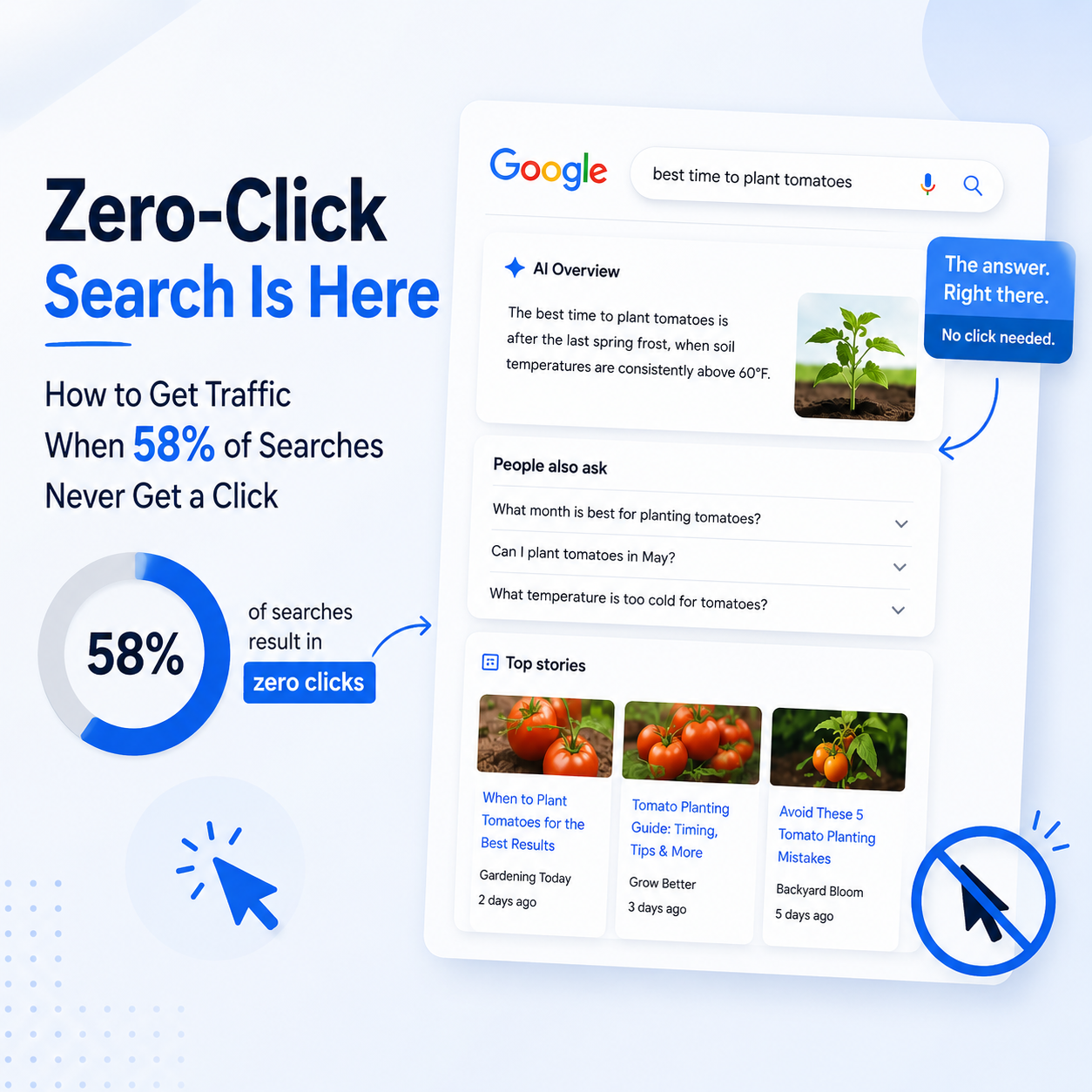
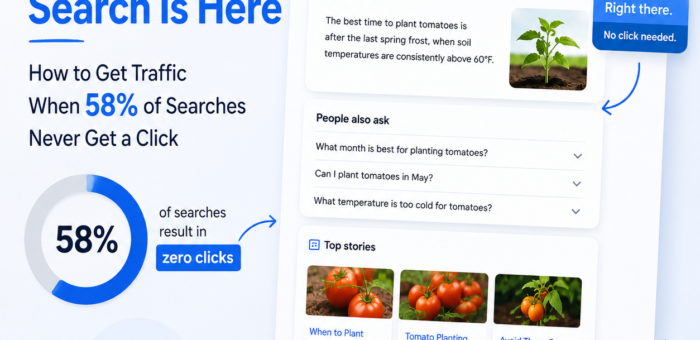
5. Zero-Click Searches Are Rising

More users get answers directly on Google.

Schema ensures:

  • Your brand still appears

  • Your site gets attribution

  • You stay visible even without a click

If clicks go down, branding and presence matter more than ever.


Must-Have Schema Types in 2026

If you’re serious about SEO, these are table stakes:

  • Organization Schema

  • Website Schema

  • Article / Blog Posting Schema

  • FAQ Schema

  • Breadcrumb Schema

  • Product Schema (for eCommerce)

  • Review & Rating Schema

  • Local Business Schema

Bonus: How To and Video schema if relevant.


Common Schema Mistakes to Avoid

  • Adding schema but not matching page content

  • Using outdated or invalid schema types

  • Forgetting to test with Google’s Rich Results Test

  • Auto-generated spam schema

Bad schema is worse than no schema. Accuracy matters.


Final Thoughts

In 2026, SEO without schema markup is like building a website without SSL — outdated and risky.

Schema markup:

  • Improves visibility

  • Increases CTR

  • Powers AI search

  • Strengthens trust

  • Future-proofs your SEO

If you want Google to understand, trust, and promote your content — schema markup isn’t a “nice to have”. It’s non-negotiable.


SEO VS AEO VS GEO

Shopify Quietly Killed the App Gold Rush in 2026.

Shopify Quietly Killed the App Gold Rush in 2026.

Shopify

Shopify Quietly Killed the App Gold Rush in 2026.

And somehow… made everyone richer.

If you were deep in the Shopify ecosystem before 2026, you remember the app gold rush era.
Build a half-decent app, slap on a $9.99/month price, throw money at ads, and pray merchants stick around longer than one billing cycle.

It worked.
Until it didn’t.

In 2026, Shopify didn’t announce some dramatic reset. No big keynote. No viral blog post.
They just changed the rules quietly.

And the chaos stopped.


The App Gold Rush Was Low-Key Broken

Before 2026, the Shopify App Store had three major problems:

  • Too many apps doing the same thing
    20 apps for popups. 15 for subscriptions. 10 for reviews. Merchants were overwhelmed.

  • Short-term thinking
    Many apps were built to monetize fast, not to last.

  • Merchant burnout
    $5 here, $15 there, suddenly a store owner was paying ₹20k/month just to keep their stack alive.

More apps ≠ more value.
It was noise.


What Shopify Changed (Without Making Noise)

Shopify didn’t ban apps.
They raised the floor.

1. Native Features Ate Weak Apps Alive

Shopify rolled core features directly into the platform:

  • Better analytics

  • Stronger checkout customization

  • Built-in automation

  • Smarter email + customer flows

If your app was just a “nice-to-have” it was over.

2. App Store Quality Became Non-Negotiable

Approval got stricter.
Performance mattered.
UX mattered.
Long-term value mattered.

Spammy, bloated, or redundant apps slowly disappeared.

3. Revenue Models Got Smarter

Developers shifted from:

“$9/month for everyone”
to
“Charge based on value delivered”

Usage-based pricing.
Revenue share alignment.
Fewer installs, higher ARPU.


Why Merchants Won

Merchants didn’t need 12 apps anymore.

They got:

  • Faster stores

  • Fewer subscriptions

  • Cleaner dashboards

  • Tools that actually worked together

Instead of managing tech, they focused on selling.

Less chaos = more profit.


Why Developers Won (Yes, Really)

At first, it hurt.
Installs dropped.
Easy money dried up.

But serious developers stayed—and leveled up.

Now:

  • Fewer competitors

  • Higher-quality customers

  • Longer retention

  • Real businesses, not side hustles

One great app > ten mediocre ones.

Developers stopped chasing virality and started building infrastructure.


Why Shopify Won the Biggest

This move did three things for Shopify:

  1. Reduced platform bloat

  2. Increased merchant trust

  3. Strengthened ecosystem defensibility

Shopify isn’t just a tool anymore.
It’s an operating system for commerce.

And operating systems don’t need a million plugins—
they need the right ones.


The Real Takeaway

The app gold rush didn’t end because apps failed.
It ended because the platform matured.

2026 wasn’t about killing opportunity.
It was about killing shortcuts.

And in the long run:

  • Merchants made more

  • Developers earned better

  • Shopify became stronger

Quiet changes.
Massive impact.

Sometimes the best revolutions don’t trend on X.
They just work.

Hire Shopify Developer India