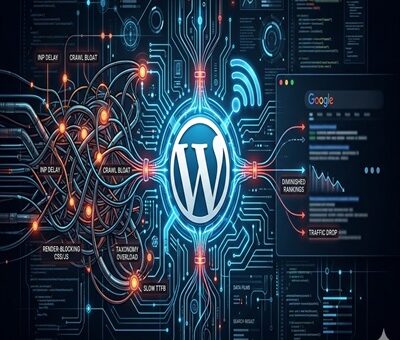
The Hidden Technical SEO Bottlenecks Ruining Your WordPress Rankings

The Hidden Technical SEO Bottlenecks Ruining Your WordPress Rankings

SEO, WordPress

You publish high-quality content, build solid back-links, and meticulously optimize your on-page keywords. Yet, your WordPress site’s rankings suddenly flat line—or worse, disappear overnight after a core update.

When your content strategy is flawless but your traffic drops, the culprit is almost always invisible to the naked eye. Google is increasingly unforgiving of poor site architecture. If Google-bot struggles to crawl, render, or interact with your pages, your content will never see page one.

Here are the hidden technical SEO bottlenecks that are silently sabotaging your WordPress rankings, and exactly how to fix them.
1. Failing the INP (Interaction to Next Paint) Test

As of recently, Interaction to Next Paint (INP) has completely replaced FID as a primary Core Web Vital. INP measures how quickly your site responds to user clicks and taps.

If your WordPress site relies on heavy page builders (like older versions of Elementor or Divi) or loads excessive third-party tracking scripts, your server’s main thread gets blocked. When a user clicks a menu item and nothing happens for 300 milliseconds, Google penalizes the page for poor user experience.

The Fix: Delay JavaScript execution for non-essential scripts, optimize your CSS delivery, and ensure your caching plugin (like WP Rocket or Lite Speed Cache) is properly configured to minify and combine files.

2. Running Legacy Server Environments

A surprisingly common bottleneck is an outdated server environment. Your WordPress site might look modern on the front end, but if the back end is running on an outdated PHP version, your time-to-first-byte (TTFB) will suffer drastically.

Older PHP versions process requests slowly, which limits how many pages Google-bot can crawl during its allocated time. Upgrading your server environment to PHP 8.4 delivers massive improvements in code execution speed and resource management, significantly reducing server response times and keeping Google’s crawlers happy.
3. The Crawl Budget Black Hole (Taxonomy Bloat)

WordPress is notorious for auto-generating unnecessary pages. Every time you create a new tag, author, or date archive, WordPress creates a new URL. Over time, a site with 50 strong blog posts can easily spawn 500+ low-value archive pages.

When Google-bot visits your site, it only has a limited “crawl budget.” If it spends all its time crawling empty tag pages and pagination links, it might skip crawling your newly updated, high-value service pages or cornerstone articles.

The Fix: Audit your index coverage in Google Search Console. Use an SEO plugin like Rank Math or Yoast to set tags, author archives, and date archives to no-index. Keep Google-bot strictly focused on your money pages.

4. Hidden Render-Blocking Resources

When Google renders your page, it wants to see the most important above-the-fold content immediately. If your WordPress theme forces the browser to download a massive, unoptimized CSS file or a custom font before it displays text, you have a render-blocking issue.

The Fix: Preload your critical fonts and inline your critical CSS. Most modern WordPress performance plugins have a “Generate Critical CSS” feature that automatically isolates the styling needed for the top of your page, allowing the rest to load in the background.

5. Orphaned Pages and Broken Internal Architecture

Technical SEO isn’t just about speed; it’s about how your site is wired together. An “orphan page” is a page on your site that has no internal links pointing to it. If you don’t link to a page, Google assumes it isn’t important and will slowly de-index it.

The Fix: Run a site crawl using a tool like Screaming Frog or Ah-refs Site Audit. Identify high-value pages that lack internal links and weave them into your older, high-authority blog posts. A strong, logical internal linking structure spreads “link juice” evenly and helps search engines understand your topical authority.

Final Thoughts: Clean House to Reclaim Your Traffic

Recovering from a ranking drop requires patience and a highly technical approach. Before you write another 2,000-word blog post, look under the hood. By clearing out code bloat, optimizing your server environment, and strictly managing your crawl budget, you clear the path for Google to recognize and reward your true expertise.

Toptal vs. Upwork vs. Ajay Maanju

Why Off-the-Shelf WordPress Themes Break at Scale (And What to Do Instead)

Why Off-the-Shelf WordPress Themes Break at Scale (And What to Do Instead)

WordPress

Why Off-the-Shelf WordPress Themes Break at Scale (And What to Do Instead)

If you’ve ever launched a WordPress site using a shiny off-the-shelf theme, you already know the vibe — it looks fire on day one. Fast forward a few months, real traffic starts rolling in, features get added, and suddenly… things start breaking.

Pages slow down. Layouts glitch. Updates nuke your design. And scaling feels impossible.

So what went wrong?
Let’s break it down 👇

The Illusion of “Ready-Made” WordPress Themes

Off-the-shelf WordPress themes are built to sell, not to scale.

They’re designed to:

  • Look good in demos

  • Work for everyone

  • Pack as many features as possible

That’s cool for small sites. Not so cool once your business grows.

1. Bloated Code = Slow Website

Most premium themes come stacked with:

  • Unused sliders

  • Multiple page builders

  • Extra scripts loading everywhere

Even if you’re not using those features, the code still loads.

Result?

  • Slower page speed

  • Poor Core Web Vitals

  • SEO taking an L

At scale, speed isn’t optional — it’s survival.

2. One Theme, Too Many Use Cases

Off-the-shelf themes try to be:

  • Blogs

  • E-commerce stores

  • Corporate sites

  • Portfolios

All in one.

This leads to:

  • Overcomplicated templates

  • Conflicting styles

  • Limited flexibility

When you try to customize beyond what the theme “allows,” things break. Hard.

3. Updates Can Wreck Your Site

Theme updates are supposed to help… but often:

  • Override custom changes

  • Break layouts

  • Cause plugin conflicts

If your site depends heavily on theme-specific features, every update feels like a gamble.

Not exactly scalable energy

4. Plugin Dependency Overload

Most themes rely on:

  • Their own page builder

  • Custom shortcodes

  • Proprietary plugins

If any of those stop getting updates — you’re stuck.

Migrating away later becomes:

  • Time-consuming

  • Expensive

  • Painful

Vendor lock-in is real.

5. Poor Long-Term SEO Structure

Scaling content needs:

  • Clean HTML

  • Logical heading structure

  • Lightweight templates

Many off-the-shelf themes:

  • Overuse divs

  • Mess up heading hierarchy

  • Inject unnecessary markup

This hurts SEO as your content library grows.

So… What Should You Do Instead?

Here’s the smarter play 👇

1. Go Custom (But Smart Custom)

A custom WordPress theme doesn’t mean overengineering.

It means:

  • Only the features you need

  • Clean, optimized code

  • Faster load times

  • Easier maintenance

Built for your business — not everyone else’s.

2. Use a Lightweight Starter Framework

Instead of full themes, use:

  • Custom theme built from scratch

  • Minimal starter frameworks

  • Performance-first setups

This gives you flexibility without bloat.

3. Decouple Design from Functionality

Move key features into:

  • Custom plugins

  • Modular components

So your site:

  • Survives theme changes

  • Scales without chaos

  • Stays future-proof

4. Build With Growth in Mind

Ask early:

  • Will this handle 10x traffic?

  • Can we add features without hacks?

  • Is the structure SEO-friendly long term?

If the answer is “maybe” — rethink it.

Final Thoughts

Off-the-shelf WordPress themes are fine for:

  • MVPs

  • Personal blogs

  • Short-term projects

But if you’re building a serious business, scaling traffic, or planning long-term growth — they will eventually hold you back.

10 Essential WordPress Tips for Beginners in 2025

10 Essential WordPress Tips for Beginners in 2025

WordPress

If you’re stepping into the world of WordPress in 2025, you’re in for an exciting journey. WordPress remains the most popular content management system in the world — powering over 40% of all websites globally. Whether you’re starting a blog, launching an online store, or building a portfolio, knowing a few key tips can make your experience smoother and more rewarding.

Here are 10 essential WordPress tips for beginners in 2025:


1. Choose the Right Hosting Provider

Your hosting provider affects your site’s speed, security, and reliability. In 2025, popular beginner-friendly hosting options include Bluehost, SiteGround, and Hostinger. Look for one-click WordPress installations, automated backups, and solid customer support.

2. Start with a Lightweight Theme

Avoid heavy themes with bloated code. Lightweight themes like Astra, GeneratePress, or the native Twenty Twenty-Five theme offer fast performance and high customizability. They also work well with page builders like Elementor or the block editor (Gutenberg).

3. Use the Block Editor (Gutenberg)

Gutenberg has evolved dramatically and is now powerful enough to replace many traditional page builders. Take time to learn how to use blocks effectively for layout and design — it’s faster and cleaner than installing multiple plugins.

4. Install Only Essential Plugins

Too many plugins can slow down your site or create conflicts. Start with these essentials:

  • SEO: Rank Math or Yoast

  • Caching: WP Rocket or W3 Total Cache

  • Security: Wordfence or Sucuri

  • Backups: UpdraftPlus

  • Analytics: Site Kit by Google

Only add more plugins when absolutely necessary.

5. Keep Everything Updated

WordPress, themes, and plugins receive frequent updates for performance, compatibility, and security. Enable automatic updates for minor changes and review major ones carefully before applying.

6. Prioritize Mobile Optimization

In 2025, mobile-first design is non-negotiable. Choose responsive themes, test pages on multiple screen sizes, and use tools like Google’s Mobile-Friendly Test to ensure a smooth mobile experience.

7. Focus on Website Speed

Visitors expect fast-loading websites. Here’s how to boost performance:

  • Compress images using plugins like ShortPixel or Smush

  • Use a CDN (Content Delivery Network) like Cloudflare

  • Optimize caching and minify CSS/JS

Fast sites improve SEO and user satisfaction.

8. Learn the Basics of SEO

Search Engine Optimization (SEO) helps your content get discovered. Start with the basics:

  • Use descriptive titles and meta descriptions

  • Create readable URLs (permalinks)

  • Add internal and external links

  • Use headings (H1, H2, H3) properly

  • Submit your sitemap to Google Search Console

9. Customize Your Permalinks

Go to Settings > Permalinks and switch from the default structure (?p=123) to a clean format like /post-name/. This improves SEO and looks more professional.

10. Take Regular Backups

Things can go wrong — from plugin conflicts to hacking. Regular backups ensure you can restore your site quickly. Use tools like UpdraftPlus or Jetpack Backup, and store copies off-site (e.g., Google Drive or Dropbox).


Final Thoughts

Starting with WordPress can feel overwhelming, but with the right approach, you can build a secure, fast, and beautiful site even as a complete beginner. In 2025, WordPress continues to grow with better tools, themes, and automation — making it easier than ever to create your dream website.

Stick to these 10 essential tips, and you’ll set yourself up for long-term success. Happy building!