
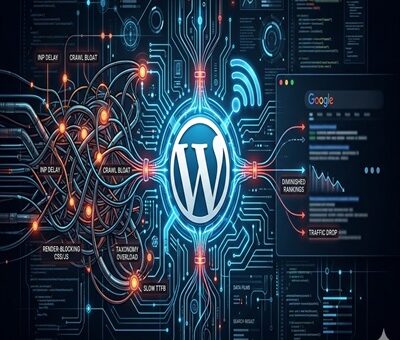
You publish high-quality content, build solid back-links, and meticulously optimize your on-page keywords. Yet, your WordPress site’s rankings suddenly flat line—or worse, disappear overnight after a core update.
When your content strategy is flawless but your traffic drops, the culprit is almost always invisible to the naked eye. Google is increasingly unforgiving of poor site architecture. If Google-bot struggles to crawl, render, or interact with your pages, your content will never see page one.
Here are the hidden technical SEO bottlenecks that are silently sabotaging your WordPress rankings, and exactly how to fix them.
1. Failing the INP (Interaction to Next Paint) Test
As of recently, Interaction to Next Paint (INP) has completely replaced FID as a primary Core Web Vital. INP measures how quickly your site responds to user clicks and taps.
If your WordPress site relies on heavy page builders (like older versions of Elementor or Divi) or loads excessive third-party tracking scripts, your server’s main thread gets blocked. When a user clicks a menu item and nothing happens for 300 milliseconds, Google penalizes the page for poor user experience.
The Fix: Delay JavaScript execution for non-essential scripts, optimize your CSS delivery, and ensure your caching plugin (like WP Rocket or Lite Speed Cache) is properly configured to minify and combine files.
2. Running Legacy Server Environments
A surprisingly common bottleneck is an outdated server environment. Your WordPress site might look modern on the front end, but if the back end is running on an outdated PHP version, your time-to-first-byte (TTFB) will suffer drastically.
Older PHP versions process requests slowly, which limits how many pages Google-bot can crawl during its allocated time. Upgrading your server environment to PHP 8.4 delivers massive improvements in code execution speed and resource management, significantly reducing server response times and keeping Google’s crawlers happy.
3. The Crawl Budget Black Hole (Taxonomy Bloat)
WordPress is notorious for auto-generating unnecessary pages. Every time you create a new tag, author, or date archive, WordPress creates a new URL. Over time, a site with 50 strong blog posts can easily spawn 500+ low-value archive pages.
When Google-bot visits your site, it only has a limited “crawl budget.” If it spends all its time crawling empty tag pages and pagination links, it might skip crawling your newly updated, high-value service pages or cornerstone articles.
The Fix: Audit your index coverage in Google Search Console. Use an SEO plugin like Rank Math or Yoast to set tags, author archives, and date archives to no-index. Keep Google-bot strictly focused on your money pages.
4. Hidden Render-Blocking Resources
When Google renders your page, it wants to see the most important above-the-fold content immediately. If your WordPress theme forces the browser to download a massive, unoptimized CSS file or a custom font before it displays text, you have a render-blocking issue.
The Fix: Preload your critical fonts and inline your critical CSS. Most modern WordPress performance plugins have a “Generate Critical CSS” feature that automatically isolates the styling needed for the top of your page, allowing the rest to load in the background.
5. Orphaned Pages and Broken Internal Architecture
Technical SEO isn’t just about speed; it’s about how your site is wired together. An “orphan page” is a page on your site that has no internal links pointing to it. If you don’t link to a page, Google assumes it isn’t important and will slowly de-index it.
The Fix: Run a site crawl using a tool like Screaming Frog or Ah-refs Site Audit. Identify high-value pages that lack internal links and weave them into your older, high-authority blog posts. A strong, logical internal linking structure spreads “link juice” evenly and helps search engines understand your topical authority.
Final Thoughts: Clean House to Reclaim Your Traffic
Recovering from a ranking drop requires patience and a highly technical approach. Before you write another 2,000-word blog post, look under the hood. By clearing out code bloat, optimizing your server environment, and strictly managing your crawl budget, you clear the path for Google to recognize and reward your true expertise.