
5 Common WordPress Myths Debunked by a Pro Developer

5 Common WordPress Myths Debunked by a Pro Developer

WordPress

WordPress powers over 40% of websites on the internet, yet it’s surrounded by several myths that can mislead beginners and even experienced business owners. As a professional developer, I’ve seen many misconceptions discourage people from choosing WordPress or using it to its full potential. In this blog, I’ll debunk the five most common myths about WordPress.


Myth 1: WordPress Is Just for Blogging

Many people still believe WordPress is only for creating blogs. While it started as a blogging platform, it has evolved into a full-fledged content management system (CMS). Today, WordPress powers eCommerce stores, corporate websites, portfolios, membership sites, learning platforms, and much more. Plugins like WooCommerce and LMS tools make it incredibly versatile.

Truth: WordPress is powerful enough to build any kind of website, from small personal blogs to enterprise-level solutions.


Myth 2: WordPress Websites Aren’t Secure

A common myth is that WordPress websites are easy targets for hackers. In reality, WordPress is as secure as any other platform if managed properly. The real problem comes from outdated themes, plugins, or poor hosting services.

Truth: With regular updates, strong security plugins (like Wordfence), and a reliable hosting provider, a WordPress site can be extremely secure.


Myth 3: WordPress Can’t Handle Large Websites

Some assume that WordPress is only good for small websites and will crash under heavy traffic. This couldn’t be further from the truth. High-profile brands like TechCrunch, BBC America, and The Walt Disney Company run their sites on WordPress.

Truth: With optimized hosting, caching, and proper configuration, WordPress can handle millions of monthly visitors.


Myth 4: WordPress Is Bad for SEO

Another myth is that WordPress doesn’t perform well in search engine optimization (SEO). In fact, WordPress is considered one of the most SEO-friendly platforms. Plugins like Yoast SEO and Rank Math help optimize content, meta tags, sitemaps, and more.

Truth: WordPress offers built-in SEO-friendly structures and can rank just as well—if not better—than other platforms when optimized properly.


Myth 5: WordPress Is Free, So It Must Be Low Quality

The fact that WordPress is open-source and free often makes people think it’s “cheap” or not professional enough. The truth is, WordPress is maintained by a massive global community of developers who contribute to its growth and improvement.

Truth: WordPress is trusted by major companies worldwide, and its open-source nature makes it flexible, reliable, and scalable.


Conclusion

WordPress is a robust, flexible, and professional-grade CMS that continues to dominate the web for good reason. Don’t let these myths hold you back from harnessing its full potential. With the right setup, security measures, and optimization, WordPress can support any project you have in mind.
Hire WordPress Developer India

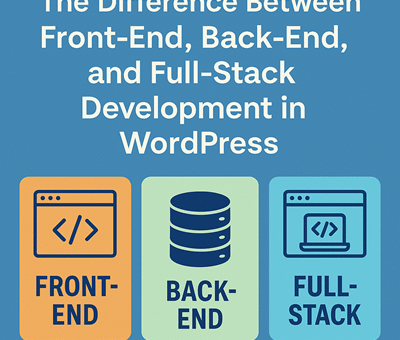
The Difference Between Front-End, Back-End, and Full-Stack Development in WordPress

The Difference Between Front-End, Back-End, and Full-Stack Development in WordPress

WordPress

WordPress is one of the most popular content management systems (CMS) in the world, powering over 40% of websites globally. While many people use WordPress without touching a line of code, serious customizations and advanced functionality often require the help of developers. But not all developers are the same. You’ll often hear terms like front-end, back-end, and full-stack development. So, what do they mean—especially in the context of WordPress?

In this blog, we’ll break down the key differences between front-end, back-end, and full-stack WordPress development, what skills are needed for each, and how to choose the right type of developer for your project.


What is Front-End Development in WordPress?

Front-end development refers to the part of a website that users see and interact with. In WordPress, this usually involves themes, user interfaces, and ensuring responsive, visually appealing layouts.

Key Responsibilities:

  • Customizing or creating WordPress themes

  • Styling pages with HTML, CSS, and JavaScript

  • Working with page builders like Elementor, Gutenberg, or WPBakery

  • Ensuring mobile responsiveness and cross-browser compatibility

  • Optimizing performance and user experience (UX/UI)

Common Tools and Languages:

  • HTML, CSS, JavaScript

  • jQuery, React (especially for Gutenberg blocks)

  • Theme development tools

  • Figma or Adobe XD for design implementation

Ideal for: Someone who wants to create a visually stunning and user-friendly website.


What is Back-End Development in WordPress?

Back-end development is all about the server side of a WordPress website. It involves working with the WordPress core, databases, and anything that happens behind the scenes.

Key Responsibilities:

  • Building and customizing plugins

  • Working with WordPress hooks, filters, and APIs

  • Creating custom post types and taxonomies

  • Integrating third-party APIs (like payment gateways or CRMs)

  • Ensuring site security, speed, and database optimization

Common Tools and Languages:

  • PHP (the core language of WordPress)

  • MySQL (for database management)

  • REST API

  • Server management tools (e.g., cPanel, WP-CLI)

Ideal for: Someone who needs custom functionality, automation, or third-party integrations.


What is Full-Stack Development in WordPress?

Full-stack development combines both front-end and back-end skills. A full-stack WordPress developer can handle everything from designing the user interface to building complex plugins and server configurations.

Key Responsibilities:

  • Handling entire site development from start to finish

  • Bridging the gap between design and functionality

  • Managing both theme and plugin development

  • Setting up hosting, deployment, and security protocols

Common Tools and Languages:

  • All front-end and back-end tools mentioned above

  • Git for version control

  • Deployment tools like Docker or GitHub Actions

  • WordPress CLI, Composer, and build tools like Webpack

Ideal for: Clients or agencies looking for an all-in-one solution with a single developer or team that understands every part of the project.


Which One Do You Need?

Choosing the right type of developer depends on your project goals:

  • Design-focused site? Go with a front-end developer.

  • Custom functionality or plugin integration? Choose a back-end developer.

  • Starting a site from scratch or need an all-in-one expert? Hire a full-stack developer.


Final Thoughts

Understanding the difference between front-end, back-end, and full-stack development in WordPress can help you make better hiring decisions, communicate more effectively with developers, and build a more successful website. Whether you need a sleek design, powerful features, or both, there’s a specialist for the job—or a full-stack pro who can do it all.

Hire WordPress Developer India