
BackupBliss Review: The Easiest WordPress Backup Plugin in 2026 (+ Exclusive 20% Off for My Readers)
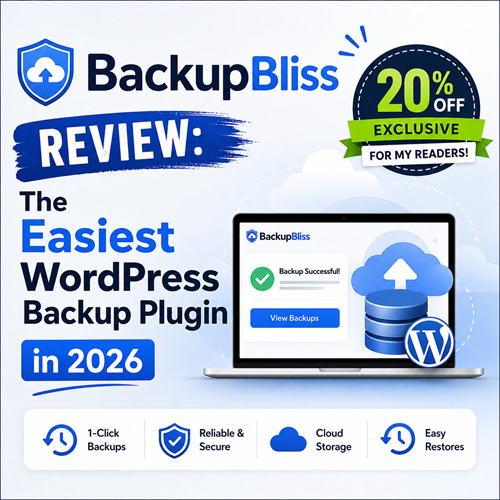
If you run a WordPress website, you already know the anxiety: "What if I lose everything tomorrow?" A server crash, a hacked site, a botched plugin update, or even a simple human mistake — any of these can wipe out months or years of your hard work in an instant. I have seen it happen to bloggers, small business owners, and even seasoned developers.
That is exactly why I am excited to share something special with you today.
I have been exploring a new WordPress backup solution called BackupBliss, and after looking at what it offers, I genuinely believe it is one of the simplest and most reliable backup plugins available right now. And as a special thank-you to my readers, I have teamed up with the BackupBliss team to bring you an exclusive 20% discount — something you will not find just anywhere.
Let me walk you through everything you need to know.
Why WordPress Backups Are Non-Negotiable
Before I dive into BackupBliss itself, let me be direct with you: if you are not backing up your WordPress site regularly, you are one bad day away from losing everything.
Here are just a few real-world scenarios where a backup could save you:
- Plugin conflict: You update a plugin, it clashes with your theme, and your site goes completely blank.
- Hosting failure: Your hosting provider has a server failure and loses your data.
- Hacking or malware: A security breach corrupts or deletes your site files and database.
- Accidental deletion: You or a team member accidentally deletes critical pages or posts.
- Failed migration: You try to move your site to a new host and something breaks mid-way.
In each of these situations, a recent backup means the difference between a 5-minute recovery and weeks of rebuilding from scratch.
What Is BackupBliss?
BackupBliss is a dedicated WordPress backup plugin designed to make the entire backup and restore process straightforward — even if you are not technically inclined.
Unlike some backup solutions that feel like they were built for developers, BackupBliss focuses on being accessible to everyday WordPress users: bloggers, small business owners, freelancers, and content creators who just want their site to be safe without having to learn complex technical processes.
The core promise of BackupBliss is simple: set it up once, let it run automatically, and restore with confidence if anything ever goes wrong.
Key Features of BackupBliss
Here is what makes BackupBliss stand out from the crowd:
✅ 1. One-Click Full-Site Backups
BackupBliss lets you back up your entire WordPress site — files, database, themes, plugins, media uploads, and all — with a single click. There is no need to manually back up parts of your site separately.
✅ 2. Automated Scheduled Backups
You can set BackupBliss to run backups automatically on a schedule that works for you — daily, weekly, or at whatever frequency your site requires. Once you configure it, you can forget about it and trust that your site is protected.
✅ 3. Secure Cloud Storage Integration
BackupBliss integrates with popular cloud storage platforms so your backups are stored safely off-site — not just on your hosting server. This is crucial because if your server fails, an on-server backup is useless.
✅ 4. Easy One-Click Restore
A backup plugin is only as good as its restore process. BackupBliss makes restoring your site straightforward, even in worst-case scenarios where your WordPress admin panel is inaccessible.
✅ 5. Beginner-Friendly Interface
The plugin is built with a clean, intuitive dashboard. You do not need to be a developer to understand what is happening. Everything is clearly labeled and guided.
✅ 6. Lightweight and Optimized
BackupBliss is designed not to slow down your website during backup operations. Background processing ensures your visitors are not affected while the plugin does its work.
Who Should Use BackupBliss?
BackupBliss is a great fit for:
- Bloggers and content creators who publish regularly and cannot afford to lose posts, images, or reader data.
- Small business owners with WordPress-powered websites or WooCommerce stores.
- Freelancers and agencies managing client sites who need a reliable, low-maintenance backup workflow.
- Beginners who want peace of mind without getting into complex technical configurations.
- Anyone switching hosting providers who needs a clean, reliable way to migrate their site.
Why I Recommend BackupBliss to My Readers
I do not recommend tools lightly on this blog. I only share products that I genuinely believe offer real value to the WordPress community.
Here is why BackupBliss caught my attention:
- It removes the excuse. The most common reason people do not back up their site is that they find it complicated or time-consuming. BackupBliss eliminates both of those barriers.
- It focuses on the full workflow. Backup + restore together, not just backup. A solution that makes backing up easy but restoring painful is only half a solution.
- It is built for real WordPress users. Not just developers, not just agencies — actual everyday WordPress users who need something that just works.
🎉 Exclusive Offer: 20% Off BackupBliss
As part of my collaboration with the BackupBliss team, my readers get an exclusive 20% discount on the BackupBliss premium plugin.
Save 20% on BackupBliss Premium. This is a special code arranged specifically for this community, so take advantage of it while it is active.
Get BackupBliss with 20% OffFinal Thoughts: Do Not Wait for a Disaster
The most common thing I hear from people who have lost their WordPress site is: "I kept meaning to set up backups."
Do not be that person. Do not wait until something goes wrong to realize how important a solid backup strategy is.
BackupBliss makes it easy to get protected today — and with the exclusive 20% discount using code AJAYBACKUP20, there has never been a better time to do it.
If you have any questions about BackupBliss or WordPress backups in general, drop them in the comments below — I am happy to help.
And as always, if you found this post useful, share it with a fellow WordPress user who still has not set up their backups. You might just save them from a disaster.