
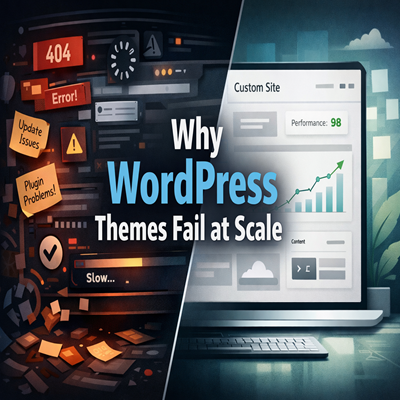
Why Off-the-Shelf WordPress Themes Break at Scale (And What to Do Instead)
If you’ve ever launched a WordPress site using a shiny off-the-shelf theme, you already know the vibe — it looks fire on day one. Fast forward a few months, real traffic starts rolling in, features get added, and suddenly… things start breaking.
Pages slow down. Layouts glitch. Updates nuke your design. And scaling feels impossible.
So what went wrong?
Let’s break it down 👇
The Illusion of “Ready-Made” WordPress Themes
Off-the-shelf WordPress themes are built to sell, not to scale.
They’re designed to:
Look good in demos
Work for everyone
Pack as many features as possible
That’s cool for small sites. Not so cool once your business grows.
1. Bloated Code = Slow Website
Most premium themes come stacked with:
Unused sliders
Multiple page builders
Extra scripts loading everywhere
Even if you’re not using those features, the code still loads.
Result?
Slower page speed
Poor Core Web Vitals
SEO taking an L
At scale, speed isn’t optional — it’s survival.
2. One Theme, Too Many Use Cases
Off-the-shelf themes try to be:
Blogs
E-commerce stores
Corporate sites
Portfolios
All in one.
This leads to:
Overcomplicated templates
Conflicting styles
Limited flexibility
When you try to customize beyond what the theme “allows,” things break. Hard.
3. Updates Can Wreck Your Site
Theme updates are supposed to help… but often:
Override custom changes
Break layouts
Cause plugin conflicts
If your site depends heavily on theme-specific features, every update feels like a gamble.
Not exactly scalable energy
4. Plugin Dependency Overload
Most themes rely on:
Their own page builder
Custom shortcodes
Proprietary plugins
If any of those stop getting updates — you’re stuck.
Migrating away later becomes:
Time-consuming
Expensive
Painful
Vendor lock-in is real.
5. Poor Long-Term SEO Structure
Scaling content needs:
Clean HTML
Logical heading structure
Lightweight templates
Many off-the-shelf themes:
Overuse divs
Mess up heading hierarchy
Inject unnecessary markup
This hurts SEO as your content library grows.
So… What Should You Do Instead?
Here’s the smarter play 👇
1. Go Custom (But Smart Custom)
A custom WordPress theme doesn’t mean overengineering.
It means:
Only the features you need
Clean, optimized code
Faster load times
Easier maintenance
Built for your business — not everyone else’s.
2. Use a Lightweight Starter Framework
Instead of full themes, use:
Custom theme built from scratch
Minimal starter frameworks
Performance-first setups
This gives you flexibility without bloat.
3. Decouple Design from Functionality
Move key features into:
Custom plugins
Modular components
So your site:
Survives theme changes
Scales without chaos
Stays future-proof
4. Build With Growth in Mind
Ask early:
Will this handle 10x traffic?
Can we add features without hacks?
Is the structure SEO-friendly long term?
If the answer is “maybe” — rethink it.
Final Thoughts
Off-the-shelf WordPress themes are fine for:
MVPs
Personal blogs
Short-term projects
But if you’re building a serious business, scaling traffic, or planning long-term growth — they will eventually hold you back.