
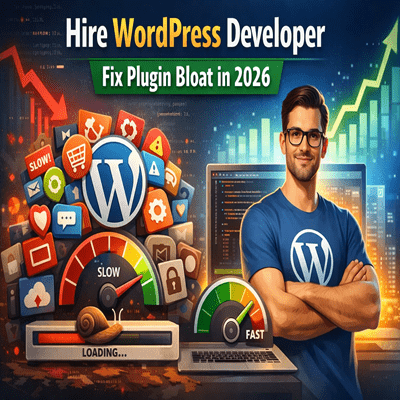
WordPress powers over 40% of the web, but here’s the catch—most growing businesses rely on dozens of plugins to run their site. At first, it feels like a quick win. Need a feature? Install a plugin. Done.
But as your business scales, this “plugin stacking” strategy turns into a silent performance killer. Slow loading speeds, security vulnerabilities, conflicts, and constant maintenance become everyday headaches.
If you’re serious about scaling in 2026, it’s time to rethink your approach—and yes, this is where you should hire WordPress developer for custom plugin development.
What is Plugin Bloat?
Plugin bloat happens when your website depends on too many plugins—especially poorly coded or unnecessary ones.
Each plugin adds:
- Extra database queries
- Additional scripts and styles
- Increased load time
- More points of failure
Individually, they seem harmless. Together, they create chaos.
The Hidden Costs of Plugin Bloat
1. Slower Website Speed
Speed = money.
Every extra plugin adds weight to your site. Even a 1-second delay can drop conversions significantly.
- Heavy plugins load unused code
- Multiple plugins duplicate functionality
- Frontend becomes cluttered with scripts
Result? Your users bounce before they even see your offer.
2. Security Risks
More plugins = more vulnerabilities.
Outdated or poorly maintained plugins are the #1 entry point for hacks.
- Abandoned plugins don’t get updates
- Conflicts can expose security gaps
- Increased attack surface
A single weak plugin can compromise your entire business.
3. Compatibility Issues
Ever updated a plugin and your site broke? Yeah, that’s plugin conflict.
- Plugins don’t always play well together
- Updates can break core functionality
- Debugging becomes time-consuming
This is especially painful for eCommerce or high-traffic sites.
4. Rising Maintenance Costs
At scale, plugin management becomes a full-time job:
- Constant updates
- License renewals
- Bug fixes
- Developer intervention
What started as “cheap” becomes expensive real quick.
5. Poor Scalability
Plugins are built for general use—not your specific business logic.
As your operations grow:
- You need custom workflows
- Better integrations
- Optimized performance
Generic plugins just can’t keep up.
Why Custom WordPress Plugin Development is the Smart Move
Instead of stacking plugins, scaling businesses are shifting toward custom-built solutions.
1. Optimized Performance
Custom plugins are built only for what you need—nothing extra.
- Cleaner code
- Faster load times
- Better user experience
No unnecessary bloat = maximum speed.
2. Enhanced Security
When you hire WordPress developer, you get:
- Secure coding practices
- Regular updates tailored to your system
- Minimal exposure to vulnerabilities
Less risk, more control.
3. Perfect Fit for Your Business
Custom plugins are designed around your workflow:
- Unique features
- Tailored integrations
- Automation aligned with your business
No compromises. No workarounds.
4. Scalability Without Limits
As your business grows, your custom plugin grows with you.
- Easily extendable
- No dependency on third-party updates
- Future-proof architecture
You’re building an asset, not patching problems.
5. Long-Term Cost Savings
Yes, custom development has an upfront cost—but it saves money over time:
- No recurring plugin fees
- Fewer bugs and conflicts
- Reduced maintenance
Think long-term ROI, not short-term hacks.
When Should You Hire WordPress Developer?
If you’re facing any of these, it’s time:
- Your website feels slow despite optimization
- You’re using 15+ plugins
- Frequent site crashes or conflicts
- You need custom functionality
- You’re scaling traffic or revenue
At this point, continuing with plugins is like putting band-aids on a broken system.
Final Thoughts
Plugin bloat is one of the biggest hidden killers of WordPress performance in 2026.
While plugins are great for getting started, they’re not built for scaling businesses. If you want speed, security, and flexibility, the smartest move is to hire WordPress developer india and invest in custom plugin development.
Stop stacking plugins. Start building smarter.